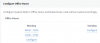
I am on the latest 3cx fully updated. I went to settings, and timezone/office hours, and choose configure under thursday. Then i change to the correct office hours, but it will not let me choose ok. I can only choose cancel?
I know the logic is confusing but it works as it was designed to work. You cannot edit an already set hour. You have to delete it and reconfigure it. The configure button is there to allow you to configure 2 or more sets of times is those do not overlap. So you can end up with something like this:
To get the OK button to work you need to set times that do not overlap. As you may know extensions with auto switch are available during office hours, switch to Away during break times or switch to DND on out of office hours. Setting office hours like the example above allows you to switch extensions to DND between 12:00 and 13:00 and you can also have break times configured at a different point in time to allow extensions to switch to Away and take advantage of different routing during the day. Hope this makes sense.