cannot configure outbound calls

Status
Not open for further replies.

csavulescu

Free User
Joined
Dec 16, 2019
Messages
10
Reaction score
0
Hi everyone!

I need some help configuring 3cx with twilio to make outbout calls.

I have configured the trunk and inbound/outbound rules - i am able to receive inbound calls but not make any.

When I make a call I am redirected to the standard twilio URL message https://demo.twilio.com/welcome/voice/

So not sure why it's not calling the number I am typing in.
 
Have you seen in activity log some clear messages related to your problem?

May be you didn't set your main SIP number on the Trunk as caller ID so twillio is blocking outbound calls,

Is your trunk IP based or registred one? if IP based perhaps you need to set this on twilio side to give you full access.
 
You should review your outbound rules to be sure you are sending a correctly formatted number (required prefixes?). The 3CX Activity Log will show exactly what is sent.
 
Have you seen in activity log some clear messages related to your problem?

May be you didn't set your main SIP number on the Trunk as caller ID so twillio is blocking outbound calls,

Is your trunk IP based or registred one? if IP based perhaps you need to set this on twilio side to give you full access.

The 3cx trunk is set to "do not require - IP based" and the 3cx public IP address is added in twilio IP access control list

The SIP number is also set as the caller ID
 
You should review your outbound rules to be sure you are sending a correctly formatted number (required prefixes?). The 3CX Activity Log will show exactly what is sent.
the log simply says no answer
 
Have you spoken with the provider? They would be able to tell you why your calls are not going through. Perhaps something need to be enabled at their end.
 
Have you spoken with the provider? They would be able to tell you why your calls are not going through. Perhaps something need to be enabled at their end.

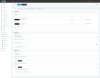
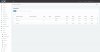
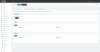
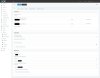
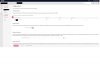
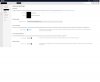
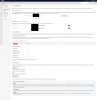
Here is my twilio and 3cx config
 

Attachments

  • screencapture-3cx-co-uk-2019-12-16-17_51_50.jpg
    screencapture-3cx-co-uk-2019-12-16-17_51_50.jpg
    61.8 KB · Views: 15
  • screencapture-3cx-co-uk-2019-12-16-17_54_27.jpg
    screencapture-3cx-co-uk-2019-12-16-17_54_27.jpg
    31.2 KB · Views: 14
  • screencapture-3cx-co-uk-2019-12-16-17_53_46.jpg
    screencapture-3cx-co-uk-2019-12-16-17_53_46.jpg
    38.8 KB · Views: 13
  • screencapture-3cx-co-uk-2019-12-16-17_53_33.jpg
    screencapture-3cx-co-uk-2019-12-16-17_53_33.jpg
    61.9 KB · Views: 12
  • screencapture-twilio-console-sip-trunking-trunks--origination-2019-12-16-17_53_14.jpg
    screencapture-twilio-console-sip-trunking-trunks--origination-2019-12-16-17_53_14.jpg
    56.5 KB · Views: 13
  • screencapture-twilio-console-sip-trunking-trunks-general-2019-12-16-17_52_25.jpg
    screencapture-twilio-console-sip-trunking-trunks-general-2019-12-16-17_52_25.jpg
    52.2 KB · Views: 14
  • screencapture-twilio-console-sip-trunking-trunks-termination-2019-12-16-17_52_47.jpg
    screencapture-twilio-console-sip-trunking-trunks-termination-2019-12-16-17_52_47.jpg
    116.3 KB · Views: 14
Twilio may require +. I need +1 in the US for Twilio - which is my backup routing.
Without the + I get a rapid busy signal.
Cause: 400 Invalid phone number/INVITE
 
FYI i found what the problems where. Firstly i was using secure trunk in twilio and secondly that i removed the auth logins.

Once i added the credentials and turned off secure trunking it started working
 
Status
Not open for further replies.

Forum statistics

Threads
111,935
Messages
589,823
Members
164,816
Latest member
natedog