Solved Can't Access Clients Management Console

Status
Not open for further replies.

Ritech Computing Services

Bronze Partner
Joined
Aug 12, 2022
Messages
20
Reaction score
4
I'm currently setting up a new client with 3CX, I have added my client through my own portal "ADD CUSTOMER" Button and connected my Partner ID. Now that it is installed I can see the system, but can only access the WebClient, and not the Management Console.

My question is: How do I access my clients Management Console to be able to configure my SIP Trunk and other configs?

 

Attachments

  • Screenshot_7.png
    Screenshot_7.png
    4.8 KB · Views: 13
Hi,

Have you created 3CX Hosted or a 3CX StartUp?
If it is the later, then you get access only to the webclient and you configure it.
Please check 3CX StartUp guide.
 
Okay I see where I made my error.
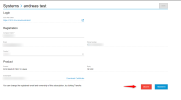
How do I Delete this system ? or any in general, I cannot find the option to DELETE a system.
 
Hi,

Only the owner of the key can delete it from his portal.
When you go to My Systems , click on the specific system and on the next page you will see the delete button.
1660529134932.png
Have in mind that you can run a new 3CX Hosted system and then delete the 3CX StartUp.
 
Status
Not open for further replies.

Forum statistics

Threads
111,973
Messages
590,079
Members
164,898
Latest member
grahamaskew