Can't answer calls on Chrome Extension for the 3CX Webclient

Status
Not open for further replies.

SuperTima

Customer
Intermediate Cert.
Joined
May 27, 2020
Messages
29
Reaction score
6
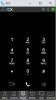
When a call comes in, the Chrome Extension window pops up on the screen, but it does not have the green and the red buttons (see the attachment), so we can't answer calls.
Google Chrome's version is 86.0.4240.75 (Official Build) (64-bit) (the latest available one), the 3CX extension version is 4.3.0.319, 3CX PBX version is 16.0.655.
Re-installing the Chrome plug-in does not help. Clearing Chrome's cache does not help either.
What else can we do?
This issues affects some users in our company only, plus a couple of clients, so it does not happen on every computer.
The 3CX extension for Firefox works OK on the affected computers.
Please advise.
 

Attachments

  • Incoming call no buttons.jpg
    Incoming call no buttons.jpg
    22.4 KB · Views: 91
It is happening fairly randomly but we have also experienced it on our PBX.

We only have the issue in Chrome and not using the web client in firefox (albeit without the extention)

We can hear it ring but the browser extention doesnt popup, we then click the extention at the bottom it shows the dialpad although we can still hear the ringing. We then minimise and click the extention again and we can answer the call.

The issue mainly seems to happen when we have microsoft teams open, I tried a day with teams closed and the issue didnt occur. Normally this issue happens 4/5 times a day. The 1st time in each day this issue happens is normally when sending a message in teams and a call coming in at the same time.
This is exactly what we are experiencing, however, exiting MS Teams does not help...
 
Still having the issue here also.
Downgrading Google Chrome worked for some users but I'm still getting complaints about people not receiving buttons to pickup.
Extension doesn't always steal focus neither.

I really don't want to have to switch to the Windows client as my users are finally getting used to the webclient.
 
  • Like
Reactions: Workbooster_GmbH
on one customer we have a more or less the same case, but only 1 person out of 10 (40 are still on softclient - total 50 extension). We use jabra and have activated jabra integration. it also seems, that direct calls work, but calls from queue nearly never. Once she got the message: «Can't answer then state 10»
 
We have this issue also on a few customers - frustratingly not all.

Last week 3cx released a chrome update and the issue seemed to settle down for a while, but now its back (reported this morning).
 
  • Like
Reactions: Workbooster_GmbH
We have the same issue and I can replicate it.
I have made a screenrecording but it shows my phone number so wont be posting it just here.

You can contact me to see it in effect
 
We have the same issue on a new install. We ask the customer whenever it happens to logout from chrome (logout from 3cx), quit chrome, restart, and re-login.
 
I've had this on the new Edge but only for the last couple of days, I just tried the minimise/restore suggestion above and it worked, maybe a refresh issue?
I'm on Windows 10 20H2, not many other users on that version yet and no other reports so far.
 
We've noticed this issue pop up in our company as well over the last 2 weeks.
It only seems to be affecting 3 users, very randomly. I'm not able to replicate the issue.

I will give them the suggestion of minimizing/restoring the window as a temporary fix.

I hope Chrome/3CX find the fix soon.
 
Have a client with the same issue:

Hosted 3CX

Windows: 10 Pro (20H2)
Chrome: 87.0.4280.66
3CX Extension: 4.3.0.348

This site uses Call Queues and inbound calls can't be answered randomly

Have excluded the domain from being real-timed scanned by the anti-virus

Have asked them to try Edge to see if they get the same issue.

Any update or progress on this issue would be appreciated.

Thanks
 
We have the same issue and I can replicate it.
I have made a screenrecording but it shows my phone number so wont be posting it just here.

You can contact me to see it in effect
did you get contacted by 3CX?
 
did you get contacted by 3CX?

No not yet ... have logged a Direct Support ticket.

I have asked my client to run the Extension in Edge (which they do not use) to see if its a memory sharing issue in Chrome.
 
we run it on both. Chrome and Edge Chromium. But from 10 users only 1 and not always...
 
we run it on both. Chrome and Edge Chromium. But from 10 users only 1 and not always...

I found it very hard to replicate, but once the client machine had it ... it needed a restart of Chrome to resolve normal operation.

This customer uses Chrome for all their web based apps so has over a dozen running Chrome Sessions in Task Manager, multiple Chrome Windows across 3 Monitors .....
 
I found it very hard to replicate, but once the client machine had it ... it needed a restart of Chrome to resolve normal operation.

This customer uses Chrome for all their web based apps so has over a dozen running Chrome Sessions in Task Manager, multiple Chrome Windows across 3 Monitors .....
3CX support have asked to do some testing in an "Icognito Chrome Window" - With the Icognito enabled in the Extension settings

Will see how that goes.
 
3CX support have asked to do some testing in an "Icognito Chrome Window" - With the Icognito enabled in the Extension settings

Will see how that goes.
Have been able to replicate this.

If the "Chrome Dialer" window is not minimised after each call and the user then opens an application in full screen.

The next call does not make the "Chrome Dialer" focus, and selecting it from the Task Bar, the functionality is not there.

If the user clicks the 3CX icon in the task bar 3 times (in effect minimising it and reopening it) they can then work with the call.
 
  • Like
Reactions: SuperTima
We have been looking into this issue for a few weeks now and we have reported this issue to Google as it seems to have appeared after a specific Chrome update.

The Chromium team has acknowledged it and is looking into it, but unfortunately it has not been resolved yet.
 
  • Like
Reactions: SuperTima
Have been able to replicate this.

If the "Chrome Dialer" window is not minimised after each call and the user then opens an application in full screen.

The next call does not make the "Chrome Dialer" focus, and selecting it from the Task Bar, the functionality is not there.

If the user clicks the 3CX icon in the task bar 3 times (in effect minimising it and reopening it) they can then work with the call.
Yes, this is exactly what's happening on my laptop and other computers of our customers.
 
Same issue here with latest Windows 10 and Edge Browser extension using Edge Chromium version latest official. I can make call buttons visible by moving the extension window. Then I can pickup the call.
 
  • Like
Reactions: SuperTima
We are experiencing the same issue since about one month. Now we are using Chrome 87.0.4280.88.

Thank you all users for the tricks, but a definitive solution well be appreciated
 
One of my customer heavily rely on the extension, and they are having issues every day with not being able to answer. What's the best way to trace that in order to help the devs ?
 
Status
Not open for further replies.

Forum statistics

Threads
112,025
Messages
590,368
Members
164,978
Latest member
FringeIT-Eric