Cant get Twilio to register its SIP trunk

Status
Not open for further replies.

magik20

Free User
Joined
Dec 5, 2019
Messages
4
Reaction score
0
Kinda new to VOIP engineering, so I'm learning on the go.

Also not married to Twilio, so if there is a better SIP option I'm happy to explore it.

I've read a few support posts before and I've tried everything listed.

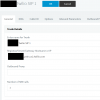
- My SIP settings appear to be correct

- If inside 3CX I try to change Type of Authentication to either IP based or Registered, neither works... IP based shows the link is active, but you cant make outgoing calls.

Any help would be appreciated!
 

Attachments

  • 1575557559643.png
    1575557559643.png
    30.5 KB · Views: 16
Twilio trunks are IP authenticated - they dont register and will show green constantly despite the status.

If outbound calls are the issue I suggest looking at your outbound rules on 3CX and running a PCAP to see if the calls actually leave the PBX (whether it is a PBX or provider issue). https://www.3cx.com/docs/capture-network-traffic/
 
thanks for the help Eddv

I've tried both... back on the "IP based" settings my phone reports a "404 not found" when trying to dial out
 
Have I missed something or made a mistake in Twilio's Termination or Origination settings?

Neither was greatly complicated when I followed the instructions from 3CX...
 
Ensure the trunk it setup correctly: https://www.3cx.com/docs/twilio-elastic-sip-trunking/

Does its FQDN resolve to the correct IP address if you do an nslookup onsite ? as above does the traffic actually leave the local LAN to the provider or not ? Wireshark of 3CX logging will help here.

I setup Twilio trunks pretty much on a daily basis, there isnt much to them to be fair.
 
  • Like
Reactions: JohnS_3CX
As @eddv123 said, look at the guide for Twilio carefully.

Ensure you system is updated (i.e no pending trunks updates) before you build the trunk.

Set up your trunk from scratch, with new outbound rules if you are not sure. There is a built in template in the system for this provider under the "Worldwide" country in the drop down list.
 
Although covered in the guide also, it is worth highlighting that since Twilio are a worldwide provider they expect calls in in international format (which you normally setup on the outbound rule) for example:

Calls starting with 0 would equal - strip the leading digit and prepend with +44, +49 or wherever it is you are calling on that rule. The example on the guide is pretty clear however.
 
Well inbound calling now works, thanks for the advice...

Outbound however is not, perhaps its a calling rule issue? I'm certainly new to PBX setup so apologies for the dumb questions.

13408
 
It probably a rule issue you can learn how to make rules here https://www.3cx.com/3cxacademy/videos/advanced/configuring-outbound-routing/

Once you build a good rule and you also send the number in the format that the provider understands, the call will work.

You can check your logs to see if the "target was built" or not.
And then if so, you can check the reply you got back from the provider (in case they rejected the call due to formatting for example or there is not enough credit or any other reason etc)
 
As above ensure you use international formatting and PCAP the trace if needed.

One thing I've not mentioned are the call logs and PCAP from the Twilio platform it can tell you if the calls are reaching and if they are what format they are in and reason for rejecting.
 
Status
Not open for further replies.

Latest Posts

Forum statistics

Threads
111,934
Messages
589,822
Members
164,813
Latest member
divdigital