Solved Can't provision Grandstream GXP2135 on SBC

Status
Not open for further replies.

hasler

Customer
Basic Certified
Joined
Jan 7, 2009
Messages
41
Reaction score
0
Hello.
I have 5 Grandstream GXP-2135 phones configured with a 3CX PBX Cloud.
I configured the phones at the beginning of June 2020 (dirct sip - remote stun). As I had some random audio problems with some phones (probably firewall issues) I installed today a 3cx SBC (raspberry 3B+). The 3CX SBC is registred correclty and online with version 16.0.390

I factory reset one phone as a test, after the reboot I found the phone in the phone list of the 3cx management console. I added the phone to the extension (3cx SBC remote), but it remains as a new phone in the list.

1593455679955.png

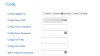
On the phone interface I see that the confi provision url is correctly set. I also rebooted the phone but it is not possible to provision it correctly to the 3cx extension.
1593455729433.png

I hope you can help me to resolve the problem asap.

Thanks for your help,

Andreas
 
Last edited:
STUN phone have their mac adress registred in Grandstream RPS server, so probably even you change 3CX settings for SBC your phone probably try to connect with STUN settings always pushed by RPS server seing mac adress coming through internet.

first step should be to remove mac adress registred from RPS server then do a phone factory reset , then try a provisioning from SBC
 
STUN phone have their mac adress registred in Grandstream RPS server, so probably even you change 3CX settings for SBC your phone probably try to connect with STUN settings always pushed by RPS server seing mac adress coming through internet.

first step should be to remove mac adress registred from RPS server then do a phone factory reset , then try a provisioning from SBC

The phones were provisioned in the first week of June, so the MAC addresses must have already been deleted from Grandstream's RPS server, as the remain registred for 14 days.

Thanks for your help,

Andreas
 
You are right if the phones have been out of internet connection more than 14 days otherwise they are fore sure always known from RPS servers
 
Hi Andreas,

If you PBX is updated to V16.0.5.619 (latest version at the moment of this writing) then please also make sure that the 2135 is also on the latest firmware https://www.3cx.com/support/phone-firmwares/

Then, reset it and give it a few moments to come up. If it does not ask for a user/pass on the phone screen, then the RPS entry has surely expired already and we can move on.

Then, refresh your phones tab in the dashboard, and try to assign it automatically again. The phone normally takes less than 10 seconds to provision.

Some things to note:
  • Your PBX HTTPS port must be open and forwarded (ie. you can log in to the webclient or management console remotely)
  • The phones at the site will need to also be able to reach the port (try reaching the PBX from that network and see if the webclient login page appears)
  • The certificates on your server need to be valid and supported by the phones (if using a 3CX provided FQDN this is already guaranteed)

Let us know how it goes
 
Hi John.
I use the latest PBX versoin 16.0.5.619 and the latest firmware 1.0.11.6 (supported by 3cx).
When I factory reset the phone I don't se the user/pass on the screen of the phone.

I can log into the managment console and the webclient remotley.
I have installed 3cx with pbxexpress on MS Azure and 3CX provides the FQDN.

I have no open a support ticket with Grandstream an send them a capture file from the phone.
I hope they can help me to resolve this issue ;-)

Thank you also for your help,

Andreas
 
All sounds good so far, I would also recommend rebooting the phone once you see it already has the URL populated. It may try to reprovision itself upon startup and be successful.
 
Also tried to reboot the phone after it was provisioned with the confil server path but withouth success :-(
 
You can also try to look at the capture if you are familiar with wireshark or wait for Grandstream to reply
 
Finally we was able to solve the problem. The company who manage the firewall found a DNS missetting in the firewall which caused the timeouts.
Now al the phones provision in a second :-)
 
Great news, I'm glad to hear it was resolved.

I imagine the capture also revealed this when the phone was sending a DNS request just before it tried to download the config file.
 
Status
Not open for further replies.

Latest Posts

Forum statistics

Threads
111,953
Messages
589,916
Members
164,851
Latest member
DrunkeMeister