CFD Check Queue Availability Call Flow

flyingbutter

Gold Partner
Joined
Apr 28, 2025
Messages
8
Reaction score
4
Hi I am currently setting up a CFD that when staff are logged into a queue 815, the calls will go to an IVR 001 whether they are available or not.
And when they are not logged in, calls go to a queue 804.
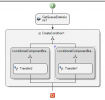
1754362500506.png This is the current setup I have. The left condition says: LESS_THAN_OR_EQUAL(GetQueueStatus1.AvailableAgents,0)
The right condition says: GREAT_THAN_OR_EQUAL(OR(GetQueueStatus1.AvailableAgents,1),GREAT_THAN_OR_EQUAL(GetQueueStatus1.BusyAgents,1))
So far when calls come in and 1 person is available in the 815 queue, calls correctly go to the IVR 001. And when staff are not logged in the calls correctly go to queue 804.
However, when no one is available in the queue yet still logged in, calls go to the queue 804. What can I do to adjust the CFD and let the calls build up in the queue and wait for someone to be available?
EXTRA INFO:
Client is on V20 of 3CX
All use desk phones
They need to be able to login/log out of the queues
 
No need for CFD for that, if all agents are logged out of a queue, it will automatically follow the "destination no answer". If there are agents but all busy on a call, callers will wait in the queue. That's literally how a queue works...
 
No need for CFD for that, if all agents are logged out of a queue, it will automatically follow the "destination no answer". If there are agents but all busy on a call, callers will wait in the queue. That's literally how a queue works...
Thank you for your input, however that is not what is required here.
The CFD needs to check whether the queue is available before going to an IVR where the queue is 1 of few options. My client needs the calls to go to a different call flow entirely if the 815 queue isn't available. Hence reaching out for support.
 
Hello flyingbutter,

I am not usre, if I understand this part of your question:
"However, when no one is available in the queue yet still logged in"

How can you be in logged in, and NOT be available?
If you mean the user status 'available', 'away', 'DND', than that should not be a problem, as this can be set to logout queue at status change, so there is not status where you can be logged in and not available ???

The only option here would be that the user/extension is BUSY.
Meaning you want to know:
- if queue has any agents logged IN
- Of the available logged in agents, are there agents FREE (not on a call)
From this there should be a Yes/No answer, to route te call in the propper way.... is my asumtion correct?

The problem here, is that you can NOT get the answer if the extension is on a call (busy) from within the CFD, so this would not be possible.

Paulo
 
Hi I am currently setting up a CFD that when staff are logged into a queue 815, the calls will go to an IVR 001 whether they are available or not.
And when they are not logged in, calls go to a queue 804.

View attachment 48871 This is the current setup I have. The left condition says: LESS_THAN_OR_EQUAL(GetQueueStatus1.AvailableAgents,0)
The right condition says: GREAT_THAN_OR_EQUAL(OR(GetQueueStatus1.AvailableAgents,1),GREAT_THAN_OR_EQUAL(GetQueueStatus1.BusyAgents,1))
So far when calls come in and 1 person is available in the 815 queue, calls correctly go to the IVR 001. And when staff are not logged in the calls correctly go to queue 804.
However, when no one is available in the queue yet still logged in, calls go to the queue 804. What can I do to adjust the CFD and let the calls build up in the queue and wait for someone to be available?
EXTRA INFO:
Client is on V20 of 3CX
All use desk phones
They need to be able to login/log out of the queues
Just leave the condition for the second branch empty. In that case it will be considered an "else", and the branch will be executed when all the branches on the left don't have a matching condition.
 
Hello flyingbutter,

I am not usre, if I understand this part of your question:
"However, when no one is available in the queue yet still logged in"
Okay, i have missed to understand you question, please disregard my comment.

Paulo
 
Just leave the condition for the second branch empty. In that case it will be considered an "else", and the branch will be executed when all the branches on the left don't have a matching condition.
Right okay I will try that, thank you!
 
Just wanted to update this thread incase anyone wants to do the same in the future.
I couldn't use GetQueueStatus but used GetQueueExtensions and changed the conditions.
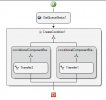
1754438880570.png
The conditions I used were:
EQUAL(GET_LIST_ITEM_COUNT(GetQueueExtensions1.ExtensionList),0) LEFT
GREAT_THAN_OR_EQUAL(GET_LIST_ITEM_COUNT(GetQueueExtensions1.ExtensionList),1) RIGHT
Which allowed calls to go to their separate IVR and Queue while factoring in extensions being "BUSY" or similar
The GetQueueExtensions was set to Query LoggedIn which could be checked using the GetListItemCount formula
 
This is valid, however it is recommended that you leave the last condition empty if you want it to be a "catch everything else" branch. If you set a condition to the last branch, depending on the expressions used, it could happen that no branch is executed. Just to keep it in mind, when you use your current approach, if you change the condition on the left, you will need to change the condition on the right accordingly to keep things working. But if you leave the last condition empty, then you just need to change the expression on the left.
 
This is valid, however it is recommended that you leave the last condition empty if you want it to be a "catch everything else" branch. If you set a condition to the last branch, depending on the expressions used, it could happen that no branch is executed. Just to keep it in mind, when you use your current approach, if you change the condition on the left, you will need to change the condition on the right accordingly to keep things working. But if you leave the last condition empty, then you just need to change the expression on the left.
Thank you, I will give that a test on a demo system and see how that goes.
 

Forum statistics

Threads
111,832
Messages
589,284
Members
164,662
Latest member
DejanMDS