Change Name on IP Phones

Tchao57

Bronze Partner
Basic Certified
Joined
Jan 18, 2021
Messages
4
Reaction score
2
Hello everyone,

Since the update to V20.0, name changes on phones are no longer supported. The same goes for firmware updates. I read that you need to change the Provisioning Link in the IP Phone settings from the local IP to the FQDN, but it doesn't work for me.

Any ideas?

Thanks in advance.

For information:

System Version 20.0 Update 5 (Build 551 Release) on Windows
Yealink T54W Phones
 
What do mean with name changes on phones? I am missing a lot of infos to help you. Where is your pbx installed, if local, is split dns configured?
 
Hi, thanx for the answer.

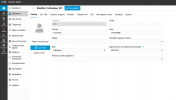
this is the Firstname et Lastname like in the screenshot. And by the way it appens with firmware update either.

Yes like I said in the first post, the system is on Windows then local. I haven't split dns configured.
 

Attachments

  • 1750343133807.png
    1750343133807.png
    69 KB · Views: 13
You want to provision the extension to the phone.... This will work if your network is correct configured. Split dns is one thing to do. The phones cant get its data from your pbx at the moment, that its why you cant update the firmware or change the extension.
 
  • Like
Reactions: JohnS_3CX
It's because of the v20 update ? Because all my phones where provisionned on v18 with the same parameters and I puted the backup in the v20 after the update.
 
IP phones in the same local network space as 3CX v20 can be configured using IP instead of FQDN and the provisioning link can use the IP address (but http only, not https). Check the user configuration under "IP Phone" and verify the "Network Interface" dropdown selection is set to the system IP address instead of the FQDN.

I've had issues in testing where some IP phones do not seem to handle DNS lookup requests properly and work better with IP address only.
 
  • Like
Reactions: JohnS_3CX
Last edited:
  • Like
Reactions: JohnS_3CX
It's because of the v20 update ? Because all my phones where provisionned on v18 with the same parameters and I puted the backup in the v20 after the update.
We don't know what your backup contained, but that's irrelevant now. It was covered here: https://www.3cx.com/blog/releases/v20-upgrade-checklist-faq/ and also here https://www.3cx.com/blog/releases/split-dns-on-prem/ since 2023.

Your options are to

1.) Set up split DNS as recommended

2.) Use IP based provisioning. Not recommended, might go away entirely 3CX security tightens up year by year.


Once this is done, you will have to delete the phone from each user, then reset it, and then assign it automatically via the PNP page.

The issues you face now are because the phones are no longer able to provision so any changes made do not reflect on the devices.
 
  • Like
Reactions: Tchao57 and bitn2
Ok, I set up split DNS and re-provisioned my IP phones. Now it works. Thanks for your help!
 
  • Love
  • Like
Reactions: bitn2 and JohnS_3CX

Latest Posts

Forum statistics

Threads
111,962
Messages
589,993
Members
164,867
Latest member
swegner