Change ringtone for all members of existing Call Queue

Status
Not open for further replies.

ESQ_IT

Premier Customer
Joined
Oct 16, 2017
Messages
24
Reaction score
3
Our Front-end staff have 4 phones connected to 1 existing Call Queue, they have requested that we change the current ring tone to another. I have tried this through the phone's UI interface but it makes no difference. I have gone into the Call Queues and within the editing screen but have not been able to see where the ring tone can be set/changed. We use a custom template, for all phones in the environment and none of the others have this particular tone set as default. Does anyone know of a way that this can be changed? We are using the 15.5.0 Professional version of 3CX, all our phones are Yealink mostly T42G's (firmware is current).

Thank you
 
Hello @ESQ_IT

Please upgrade to V15.5 SP6 if you are not already the latest version and navigate to Settings / Phone / Client Options and enable the option "Use custom ringtones per queue".
Then under the extension settings / phone provisioning tab you will an option for setting different ringtones per queue.You will need to use the default template of SP6.
 
  • Like
Reactions: ESQ_IT
Hello @ESQ_IT

Please upgrade to V15.5 SP6 if you are not already the latest version and navigate to Settings / Phone / Client Options and enable the option "Use custom ringtones per queue".
Then under the extension settings / phone provisioning tab you will an option for setting different ringtones per queue.You will need to use the default template of SP6.


Thanks for the quick reply, I will schedule in the update for afterhours ...
 
Keep us updated with the results.
 
Keep us updated with the results.
Hello We performed the upgrade to V6 over the weekend and I was able to make the change to "Use Custom Ringtones Per Queue" as per your suggestion.
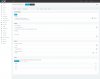
However under the Extension settings / Phone Provisioning tab, I do not see any option for assigning a different ringtone per queue. I have attached a screenshot of that particular tab.
Thank you
 

Attachments

  • rec recpt 2200.jpg
    rec recpt 2200.jpg
    267.9 KB · Views: 212
You are missing a lot of options from what i can see as you are using a custom template which you probably haven't updated in a while. Use the default template and let me know of you face the same issue.
 
You are missing a lot of options from what i can see as you are using a custom template which you probably haven't updated in a while. Use the default template and let me know of you face the same issue.
Hello YiannishH_3CX , I was fiddling around and found that if I change the ring tone on the Phone's UI then it applies the correct "Default" tone. Before I updated to V6 I have tried this and it would not apply. I will look at using the default template in future, to build custom ones for our environment. You are correct that we have not updated the custom one in a while. Thank you for your help on this issue.
Cheers,
 
Glad i could help. Please let us know if further assistance is required.
 
Status
Not open for further replies.

Latest Posts

Forum statistics

Threads
111,894
Messages
589,600
Members
164,763
Latest member
Techmansam