Changes in the conference.ics

Status
Not open for further replies.

Ronin

Joined
Jan 21, 2019
Messages
176
Reaction score
20
Hello,

Can the description segment of the calendar file (conference.ics) be changed?
 
Hi,

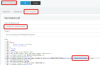
Yes it can be changed.Go to the management console, settings, email, email templates and edit your invites.

The contents of the email invite are contained within the .ics file
 
Hi John,

I am not quite sure what you mean. If for example I remove the %%ORGANIZERNAME%% from the body it would not appear on .ics also? Or it has something to do with the if{} statements and what's inside them which is also loaded in .ics file?
 
Yes, if you remove it from here it will be removed:

1602760797546.png

The IFs are usually for things that "IF %%NOTES%% exists, then include them in the invitation"
 
Hi John,

I did what you said but nothing changed:
I will explain the situation a little bit better:
We need to change the: DESCRIPTION:Click this link to join the meeting: "link goes here"
You can find this line in the .ics file.
For example:

Code:
BEGIN:VCALENDAR
PRODID:-//3CX/Web Meeting v.15//EN
METHOD:REQUEST
VERSION:2.0
BEGIN:VEVENT
ORGANIZER:MAILTO:[email protected]
DTSTAMP:20201014T151949Z
DTSTART:20201014T151949Z
DTEND:20201014T154949Z
CLASS:PUBLIC
SUMMARY:3CX Web Meeting: test
LOCATION:Online meeting
DESCRIPTION:Click this link to join the meeting: "link goes here"
UID:{17d18a44-e7d5-4db5-b1a8-2df401e01cc1}
SEQUENCE:0
STATUS:CONFIRMED
BEGIN:VALARM
ACTION:DISPLAY
DESCRIPTION:REMINDER
TRIGGER:-PT900S
END:VALARM
END:VEVENT
END:VCALENDAR
 
Last edited:
What is the version of the PBX you are using?
 
Version: 16.0.655
The .ics file I attached is from an older 3cx installation but we still have the same error:
The "DESCRIPTION:" is not correctly formatted.
 
Ok in this case I'm not sure why it did not work, I just edited mine (Conference Audio and Video) and it now generated this for me:

Code:
BEGIN:VCALENDAR
VERSION:2.0
BEGIN:VEVENT
DTSTAMP:20201022T175809
UID:vk7l92s1gp
CLASS:PUBLIC
DESCRIPTION:Click this link to join the meeting: https://xxxxxxxxxxxxxxxxxxx
DTSTART:20201022T175809
DTEND:20201022T182809
LOCATION:
SUMMARY:iCal Test
TRANSP:TRANSPARENT
END:VEVENT
END:VCALENDAR
DTSTAMP:20201022T175809
PRODID:webclient3cx
 
This is the error we get: DESCRIPTION:Click this link to join the meeting:
Code:
 https://example-de.3cx.net/join/iJIvsM8y6_WTIfVTAqZfLVcP\ntfhfth\nKostas Kostantinou (EDV)\ntest test
As you can see the name Kostas is combined with the link.

This comes from our custom template:
Code:
<br>
<p style="margin:0">Sie sind eingeladen an der Konferenz <strong>%%MEETINGTITLE%%</strong> von <strong>%%ORGANIZERNAME%%</strong> teilzunehmen</p>
<br>
 
I thought that "\n" was part of the link but it means new line.
Ok, this is clear for me now.
We now need to add the dial-in information in the %%ORGANIZERNAME%% so the DESCRIPTION field can grab it.
But, if we do that then it will also appear in the body of the e-mail.
In our e-mail system, the user can only see the DESCRIPTION field so they have no dial-in information.
That's why we need to add it in that field.
Is there a solution to it?
 
Last edited:
I think you just need to edit the html code and test it until you get the desired result.
 
Hi,

I have a similar proble. If I invite someone to an Appointment, I get an email with a ics-file and some joining information:
Hi m.wenke,

You have been invited to join "VK" by "Markus Wenke"

Meeting Notes: HfT


Joining info: https://dh-software-de.3cx.net/join/JVtXBaGDUV_0Zr5ufHEoB9Vi - from Chrome or Firefox
Or dial +49 2568 932098, PIN: 6899210
Or dial 98 from your extension and enter the PIN 6899210

On your smartphone: Download the Android or iOS app and click on the meeting link to join.

See more tips and how-to's

Thats all ok, but when I accept this meeting (outlook), the information in the Appointment is only the Information from the ICS file, the whole information from the email is gone!

What can I do? Is this a outlook error? Can I put all the Information in the .ics-file? If so, how can I do this?

Thanks in Advance

Markus Wenke
 
Hi @Biber

Not sure what you mean, but you can open the ICS file with a text editor and see what is contained.

Yes, what you describe is most likely an Outlook issue if I understood correctly. The PBX does not control what happens after the email leaves, and cannot see what happens in Outlook.

In theory, you should be facing the same issue with any ICS file you receive from anywhere (no just 3CX)
 
I want to have a ics template, so I can style the ics-file on my own. For now I have only a Email-Template
 
There's no template for the ICS file specifically, but it will take some of the stuff contained in the email template.

As you edit the email template, you will notice that the content of the ICS file also changes, namely the description field. The dates are taken automatically.
 
Hi,

I have a similar proble. If I invite someone to an Appointment, I get an email with a ics-file and some joining information:


Thats all ok, but when I accept this meeting (outlook), the information in the Appointment is only the Information from the ICS file, the whole information from the email is gone!

What can I do? Is this a outlook error? Can I put all the Information in the .ics-file? If so, how can I do this?

Thanks in Advance

Markus Wenke


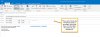
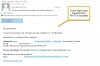
We experienced the same problem. When the .ICS is opened and the invite is added to Outlook, the call information is stripped away. The only information left is the URL of the conference and the list of attendees. No call-in number, password and other pertinent information. I am attaching a print screen of before-the invite is accepted and after-the invite is accepted. I think this is a bug. When you use the web client, ALL information shows properly. Majority of my users are 3cx Windows/App client users. There are very few users that are using the 3CX web-client.
 

Attachments

We experienced the same problem. When the .ICS is opened and the invite is added to Outlook, the call information is stripped away. The only information left is the URL of the conference and the list of attendees. No call-in number, password and other pertinent information. I am attaching a print screen of before-the invite is accepted and after-the invite is accepted. I think this is a bug. When you use the web client, ALL information shows properly. Majority of my users are 3cx Windows/App client users. There are very few users that are using the 3CX web-client.
 

Attachments

  • AFTER ACCEPTING.jpg
    AFTER ACCEPTING.jpg
    131.2 KB · Views: 16
  • BEFORE ACCEPTING.jpg
    BEFORE ACCEPTING.jpg
    109.4 KB · Views: 17
There's no template for the ICS file specifically, but it will take some of the stuff contained in the email template.

As you edit the email template, you will notice that the content of the ICS file also changes, namely the description field. The dates are taken automatically.

yes, but that is very hazy, e.g. I miss the phone numbers in the ics file...
 
@blake.equip but are they included in the .ics file when you open it in a text editor?
 
@blake.equip but are they included in the .ics file when you open it in a text editor?

Johns, that where I 'think' where the bug is. When the .ics is created, somehow the rest of the INFO are stripped away. Like what you said, all the info 'should' be in the .ics file but they are not. Here is what's inside the .ics file

BEGIN:VCALENDAR
PRODID:-//3CX/Web Meeting v.15//EN
METHOD:PUBLISH
VERSION:2.0
BEGIN:VEVENT
ORGANIZER:MAILTO:NoReply3CX@XXXXXXXXXXXXXXXX
DTSTAMP:20201110T202959Z
DTSTART:20201110T204425Z
DTEND:20201110T214425Z
CLASS:PUBLIC
SUMMARY:3CX Web Meeting: test audio and video conference
LOCATION:Online meeting
DESCRIPTION:Click this link to join the meeting: https://xxxxxxxxxxxxxxxxxxxxxxxxxxxxxxxxxxx/join/dpuUDez3nHEAJ__yRkleQQzN\ntest audio and video conference\nJoel Bartolome\nJOEL.BARTOLOME
UID:{3c73b3db-c0a9-4660-8068-a9c3c8d5076b}
SEQUENCE:0
STATUS:CONFIRMED
BEGIN:VALARM
ACTION:DISPLAY
DESCRIPTION:REMINDER
TRIGGER:-PT900S
END:VALARM
END:VEVENT
END:VCALENDAR
 
  • Like
Reactions: Biber
Status
Not open for further replies.

Forum statistics

Threads
111,973
Messages
590,078
Members
164,896
Latest member
sameage