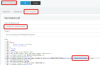
BEGIN:VCALENDAR
PRODID:-//3CX/Web Meeting v.15//EN
METHOD:REQUEST
VERSION:2.0
BEGIN:VEVENT
ORGANIZER:MAILTO:[email protected]
DTSTAMP:20201014T151949Z
DTSTART:20201014T151949Z
DTEND:20201014T154949Z
CLASS:PUBLIC
SUMMARY:3CX Web Meeting: test
LOCATION:Online meeting
DESCRIPTION:Click this link to join the meeting: "link goes here"
UID:{17d18a44-e7d5-4db5-b1a8-2df401e01cc1}
SEQUENCE:0
STATUS:CONFIRMED
BEGIN:VALARM
ACTION:DISPLAY
DESCRIPTION:REMINDER
TRIGGER:-PT900S
END:VALARM
END:VEVENT
END:VCALENDAR
BEGIN:VCALENDAR
VERSION:2.0
BEGIN:VEVENT
DTSTAMP:20201022T175809
UID:vk7l92s1gp
CLASS:PUBLIC
DESCRIPTION:Click this link to join the meeting: https://xxxxxxxxxxxxxxxxxxx
DTSTART:20201022T175809
DTEND:20201022T182809
LOCATION:
SUMMARY:iCal Test
TRANSP:TRANSPARENT
END:VEVENT
END:VCALENDAR
DTSTAMP:20201022T175809
PRODID:webclient3cx
https://example-de.3cx.net/join/iJIvsM8y6_WTIfVTAqZfLVcP\ntfhfth\nKostas Kostantinou (EDV)\ntest test
<br>
<p style="margin:0">Sie sind eingeladen an der Konferenz <strong>%%MEETINGTITLE%%</strong> von <strong>%%ORGANIZERNAME%%</strong> teilzunehmen</p>
<br>
Hi m.wenke,
You have been invited to join "VK" by "Markus Wenke"
Meeting Notes: HfT
Joining info: https://dh-software-de.3cx.net/join/JVtXBaGDUV_0Zr5ufHEoB9Vi - from Chrome or Firefox
Or dial +49 2568 932098, PIN: 6899210
Or dial 98 from your extension and enter the PIN 6899210
On your smartphone: Download the Android or iOS app and click on the meeting link to join.
See more tips and how-to's
Hi,
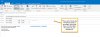
I have a similar proble. If I invite someone to an Appointment, I get an email with a ics-file and some joining information:
Thats all ok, but when I accept this meeting (outlook), the information in the Appointment is only the Information from the ICS file, the whole information from the email is gone!
What can I do? Is this a outlook error? Can I put all the Information in the .ics-file? If so, how can I do this?
Thanks in Advance
Markus Wenke
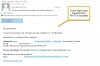
We experienced the same problem. When the .ICS is opened and the invite is added to Outlook, the call information is stripped away. The only information left is the URL of the conference and the list of attendees. No call-in number, password and other pertinent information. I am attaching a print screen of before-the invite is accepted and after-the invite is accepted. I think this is a bug. When you use the web client, ALL information shows properly. Majority of my users are 3cx Windows/App client users. There are very few users that are using the 3CX web-client.
There's no template for the ICS file specifically, but it will take some of the stuff contained in the email template.
As you edit the email template, you will notice that the content of the ICS file also changes, namely the description field. The dates are taken automatically.
@blake.equip but are they included in the .ics file when you open it in a text editor?
Founded in 2005, when VoIP was an emerging technology, 3CX has gone on to establish itself as a global leader in business communications.