• We do not provide troubleshooting help for unsupported phones. Please try with a supported phone.
  • V20 Update 10 Alpha 2 Learn more

Changing my3cx.us Domain IP Address

Status
Not open for further replies.

pdreyer

New User
Joined
Jun 9, 2021
Messages
10
Reaction score
2
Is it possible to change the IP address of the my3cx.us record associated with my my3cx.us domain? We use an on-prem Fortigate with a number of virtual IPs and our DNS record is currently pointing to the wrong one. Where does it get this information from?
 
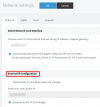
The system automatically updates the domain IP, depending on your setting under Settings >> Network

1625035321547.png


You can switch it to Dynamic mode and the PBX will auto-detect its current IP and update the DNS entry (which is managed by 3CX, you cannot manage it manually).

By virtual IPs if you mean the public IP via which 3CX can be reached, we recommend you either always leave the system on Dynamic, or pick one of your public IPs and keep the PBX only on that one permanently. It always takes time for DNS entries to propagate when using Dynamic mode, so your external users may face downtime during those changes.
 
The system automatically updates the domain IP, depending on your setting under Settings >> Network

View attachment 22766


You can switch it to Dynamic mode and the PBX will auto-detect its current IP and update the DNS entry (which is managed by 3CX, you cannot manage it manually).

By virtual IPs if you mean the public IP via which 3CX can be reached, we recommend you either always leave the system on Dynamic, or pick one of your public IPs and keep the PBX only on that one permanently. It always takes time for DNS entries to propagate when using Dynamic mode, so your external users may face downtime during those changes.
I understand. Thanks so much for the help John!
 
  • Like
Reactions: JohnS_3CX
Status
Not open for further replies.

Forum statistics

Threads
112,148
Messages
590,962
Members
165,168
Latest member
Stephan Eusebe