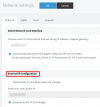
The system automatically updates the domain IP, depending on your setting under Settings >> Network
View attachment 22766
You can switch it to Dynamic mode and the PBX will auto-detect its current IP and update the DNS entry (which is managed by 3CX, you cannot manage it manually).
By virtual IPs if you mean the public IP via which 3CX can be reached, we recommend you either always leave the system on Dynamic, or pick one of your public IPs and keep the PBX only on that one permanently. It always takes time for DNS entries to propagate when using Dynamic mode, so your external users may face downtime during those changes.