Click to call in Chrome Web extension opens Chrome Popup

Status
Not open for further replies.

PvK

Customer
Joined
Apr 22, 2020
Messages
72
Reaction score
20
I have deinstalled the Windows client, and would like to work only with the web client en the browser extension. The extension works, in so far that when I make a call from the popup, it dials and connects via the Yealink Sip T46S desk phone.
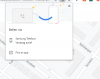
But when I click a phone number link on a web page, Google pops up its default popup: Call via: pick an app. How can I make it call via the web extension?

Using v16.5
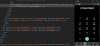
 
PS, I did open the WebClient and Activate the Browser Extension

I now reinstalled the Windows Client and made it the default app. Now the click to call works.
There is no reason for me to have the Windows Client in addition to the Browser extension and the Web Client. Is there a way this can work without the Windows Client?
 
Last edited:
Hello @PvK ,

When our Chrome Extension is activated and on Options you have enabled the "Convert phone numbers on website/CRM to clickable links", links that are configured with "tel:" will pass the number to the Chrome Extension.

Where do you try to use the click to call functionality. Can you please share with me the link or the system that you are trying?
 
At the bottom of the page of datec.nl.
Phone numbers are clickable, the issue is that Chrome wants to send it to a mobile phone rather than 3cx
 
In our case, this is not the case. Can you please check the HTML code if it converted as per my attachment?


1592385556505.png
 
Thanks,
I don't think the issue is with the link:
Code:
<a href="0793478992" id="yui_3_5_1_1_1592419728317_288" title="Call  079-3478992 via 3CX" tcxhref="0793478992" target="_blank">079-3478992</a>

It works with the 3CX windows client installed. It sometimes works, and sometimes it does not. When it does not, Chrome gives a popup asking me which phone I want to use (pointing at my Android phone).
 
Yes it is, but now it works, even after deinstalling the windows client. I had it working on and off before. I probably have to check the HTML when it is not working again.
 
Today this one in Google Search did not work:


<a data-dtype="d3ifr" data-local-attribute="d3ph" jscontroller="cSkPLb" href="#" jsdata="QKGTRc;;BO/k2w" jsaction="rcuQ6b:npT2md;F75qrd" data-ved="2ahUKEwjBm4bru4vqAhXBzqQKHb67DZcQkAgoADAHegQIBxA_"><span>079 342 5487</span></a>

This is the popup I get:
Google Call.png
 
Does anyone experience this with Google, clicking on their suggested phone number?
 
I've noticed that this effects users that are signed into google on chrome. It also effects links that have the href="#" tag.
 
  • Like
Reactions: PvK
Hello @majones ,

It seems that this behavior should be something that Chrome is using in order to connect all user devices.

Can you please give it a try on Edge (Chromium) also?

Now in regards to the href="#":
The idea of the parsing functionality is not to alter the links that a developer or user set for a website. If we start altering those cases, then we might break the business logic of a link.

Thank you for your feedback.
 
Hello @majones ,

It seems that this behavior should be something that Chrome is using in order to connect all user devices.

Can you please give it a try on Edge (Chromium) also?

Now in regards to the href="#":
The idea of the parsing functionality is not to alter the links that a developer or user set for a website. If we start altering those cases, then we might break the business logic of a link.

Thank you for your feedback.

Specifically this happens with Chrome browser when logged in to a google account and with a registered Android phone. Search for a business name in Google.com. On the result page, on the right google.com shows the name of the business, opening hours, and phone number. When you click that phone number, the popup Call via <your phone name> appears (I have a Samsung Android phone, that Google wants to use).
If I am logged out of my account on google, it goes to the extension correctly.

In Edge (Chromium) this works correctly. It goes to the extension. It does not matter if I am logged in or not in Google when searching using Google.com.
 
So it verifies our case, that Chrome is doing extra things that it is something that we cannot control, and if we try to control it will break other things.
 
The better answer would be that you look in to it to see what causes this. Perhaps there is a setting that can be changed in Chrome. Or perhaps Google can help you to change the behavior.
 
Status
Not open for further replies.

Forum statistics

Threads
112,349
Messages
592,026
Members
165,512
Latest member
gmacinit