Clickable links issue in Zoho CRM with Chrome Extension

Status
Not open for further replies.

JNCASTT

Forum User
Joined
Apr 22, 2020
Messages
9
Reaction score
0
Hello there. I have an issue with the 3CX Chrome extension and the click to call feature in Zoho CRM.
I have noted that when I place the cursor above a phone number everywhere in my browser a short message appears e.g."Call +0000000 via 3CX" this is due to I have enabled the option "Convert phone numbers on website/CRM to clickable links" and if I click a phone number it appears on the keypad of the 3CX extension.

In Zoho CRM when I place the cursor in the Phone Number field and I click it, works good and the phone number appears on the keypad of the 3CX Chrome Extension but when I click other field like Mobile Number or Fax Number the 3CX short message appears but it doesn't works, and the Mobile Number or Fax Number doesn't appears in the keypad of 3CX Chrome extension when I click them.

Thanks in advance
 
Probably those fields are not plain text. If the web site already returns phone numbers as links, or with a different behavior when you click them (for example converting the text to an edit box so you can change the number), then the extension can't do anything with it.

Can you share a screenshot of where you're trying to click and what happens when you do?
 
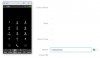
Of course, as I mentioned before I'm clicking the Mobile Number field in order to see it in the 3CX keypad, but it doesn't happen because when I click that field it's converted to an edit box.
 

Attachments

  • Capture.JPG
    Capture.JPG
    46.3 KB · Views: 3
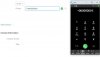
But that it's something weird because the same thing happens with the Phone Number field, but this number appears in 3CX keypad
 

Attachments

  • Capture.JPG
    Capture.JPG
    49.9 KB · Views: 2
Do you know if this same situation could change using the 3CX Windows App?
 
As I mentioned, when a web page already provides a behavior for clicking a number, we can't change that, or we would be breaking what the web developer wanted for that page. We can only provide click to call links when the number is plain text in the web page.

From the 3CX Windows client you can use the hot-key dialing feature. This is, you configure the hot-key, select the number with your mouse, and click the hot-key combination. Then the 3CX Windows client will receive the selected number to call it.
 
Of course, I understand but that's something weird because all the mentioned fields have the same behaviour but only the Phone field is registered in the 3CX keypad... and if I use a single line field and I populate it with a phone number the 3CX extension doesn't take that number neither. It should works because the single line field have a plain text format.
Could be this an issue from Zoho side?

I have other cuestion, If I use the 3CX Windows App it could have an additional cost to my 3CX suscription?
Thank you very much for your help.
 
Of course, I understand but that's something weird because all the mentioned fields have the same behaviour but only the Phone field is registered in the 3CX keypad... and if I use a single line field and I populate it with a phone number the 3CX extension doesn't take that number neither. It should works because the single line field have a plain text format.
Could be this an issue from Zoho side?
A text box where you can edit the text, is not plain text. The click to call link doesn't work there.

I have other cuestion, If I use the 3CX Windows App it could have an additional cost to my 3CX suscription?
Thank you very much for your help.
No, you can use all the clients with no additional cost. You just decide which one is better for you.
 
Thank you very much, for your help, edossantos.
 
Status
Not open for further replies.

Members Online Now

Forum statistics

Threads
111,843
Messages
589,326
Members
164,679
Latest member
SamadMYK