Configure 3CX with Bria

Status
Not open for further replies.

Wondercomm

Trainee Partner
Joined
Jul 9, 2022
Messages
19
Reaction score
3
Could someone guide me on how to configure 3CX with Bria?

In user devices, it looks like I can only add a phone with a mac and there are no options to BYOD / softphone. Using the latest v18 and hosting the instance with 3CX.
 
3cx has its own webclient/desktop app for use on a mac, suggest using one of these which are provisioned easily and supported. In any case, you can manually connect any sip-compatible device with 3cx. Bria softphone included if you must.
 
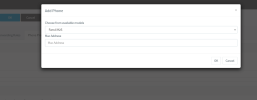
How do I go about configuring a SIP device? I only see options to configure a phone and not just a simple SIP-compatible device.
 

Attachments

  • Screenshot 2022-07-11 at 12-19-14 3CX Phone System Management Console.png
    Screenshot 2022-07-11 at 12-19-14 3CX Phone System Management Console.png
    23 KB · Views: 31
You can not provision it, there is no template for it, the templates are only for supported IP phones. You can use the details within the extensions settings to manually connect it.
 
Gotchya. A bit confused now: Which settings should I be using with Bria?

Authentication Settings (ID & Password) Ext. > Phone Provisioning > Authentication

or

Extension ID + Password (used to web client log in)?
 
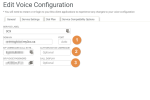
You will use the SIP Authentication settings > Authentication Settings (ID & Password)
 
Would I need to edit 1,2&3 in Bria for this to successfully authenticate?
 

Attachments

  • Screenshot 2022-07-11 at 12-45-48 Access Bria Solo CounterPath.png
    Screenshot 2022-07-11 at 12-45-48 Access Bria Solo CounterPath.png
    26.6 KB · Views: 56
The only reason for me to consider Bria over 3CX App is the way 3-way conference calling is handled by Bria vs 3CX. In 3CX after a conference call is established with the 3rd party and the 3rd party is connected, there is no way to manage participants (add / remove them from the conference or disconnect either participants). This is particularly useful when the third party called goes to Voicemail in which case both original participants have to disconnect. I ran into this a couple of times lately and couldn't find a way to manage participants.

The "New Call" feature only allows you to place a new call on another line in 3CX app and there is no way to merge both calls - this would essentially solve my problem.

Bria handles this very well.

------------

FYI
Bria: 403 error - Invalid Credentials.
 
You can manage participants in an audio conference from the webclient/desktop apps > meet section.
 
That is not 3-way conferencing and I need controls in the mobile app. What you've described is if I were to set up an audio conference, which is not what I'm looking for. Just need 3CX SIP credentials to work with Bria and all I'm getting is 403- invalid credentials.

Bria works flawlessly with voip ms and my other PBX though.
 
Username is the extension number, "Authentication Username" is the Auth ID in Phone Provisioning.
 
Username is the extension number, "Authentication Username" is the Auth ID in Phone Provisioning.
I had tried this too. Registration failed. What should be the Domain? FQDN of the server, right? I tried it with the IP address too and it still failed to register. Any suggestions/advise?
 
Domain is FQDN yes, but there may be other settings that are needed.

Why not use the 3CX apps? They work directly and are more secure as well.
 
Domain is FQDN yes, but there may be other settings that are needed.

Why not use the 3CX apps? They work directly and are more secure as well.
Ad-hoc conference calling. There is no option in the 3CX android app to manage participants. no other reason. I like the 3CX app otherwise and it's been rock solid ever since I've set it up.
 
Do a test and check when you do a audio conference, in the app menu, Schedule > Active, do you see the conference? It should be there just like the Webclient.
 
Ohk, I'll try it. If that's the case, I don't need to use Bria. I'll try it today. Thanks!
 
  • Like
Reactions: Evolute IT
Do a test and check when you do a audio conference, in the app menu, Schedule > Active, do you see the conference? It should be there just like the Webclient.
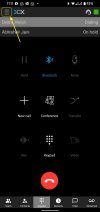
Did a test conference call today and the menu button gets locked. So I can't even click the hamburger menu button on the app to access Schedule. Also, I looked at the web client > Meet and it was blank. No evidence of the active conference.
 

Attachments

  • Screenshot_20220712-231124.jpg
    Screenshot_20220712-231124.jpg
    291 KB · Views: 20
@ConceptsWeb : Are you also getting the same behaviour when you do a 3-way conference call? The menu button is unresponsive during an active conference call and the webclient doesn't show anything either.
 
Status
Not open for further replies.

Latest Posts

Members Online Now

No members online now.

Forum statistics

Threads
111,831
Messages
589,276
Members
164,660
Latest member
RJenkinsROCK