Solved Configuring Physical fax machine

Status
Not open for further replies.

NealONeal

Customer
Joined
Dec 2, 2021
Messages
6
Reaction score
2
Hello there,

I am trying to configure a physical fax machine (Brother FAX-2840) on 3CX.
I found on 3CX documentation that a compatible ATA was needed for it.

So currently I have created a FXS/DECT with a Grandstream HT802 with extension 189.

However, I don't understand if I should still configure the fax machine behind it.
If so, I believe I have to create a FAX and assign another extension to it ?

Does anyone have experience with a Brother Fax machine and configured it ?

Thanks a lot for the help.
 
Have you upload the config file to the Grandstream ?

Guessing you have created the fax extension as 189. Step 1 https://www.3cx.com/voip-gateways/grandstream-ht-fxs/#h.h5n5ayhyczxm

What happens if you ring extension 189, does the fax machine answer the call. Can you dial out from the fax machine ?

There are no settings you have to do on the fax machine

Connect the fax machine to phone port 1 on the HT802

If using a SIP trunk, does the provider support - Fax T38 or Fax in Audio - if there do not faxing is not going to work
 
Last edited:
Hi!

From a 3CX perspective, all you need to do is follow this guide to create a "Fax Extension" in 3CX:
https://www.3cx.com/voip-gateways/grandstream-ht-fxs/#h.oxzb48jgf61h

Then in Step 4 make sure you select the Fax Extension you created, then follow the rest of the guide.

From that point onward, a lot of the times an analog fax machine only needs to be hooked up to the RJ11 port of the FXS Gateway.

Something that sometimes helps is to reduce the transmission speed of the Fax machine to the lowest setting possible.
 
On your model FAX, if you go to Menu 2,0,1 , you can choose Basic, for VoIP compatibility, changing the speed to 9600. Page 91, of the manual.
 
  • Like
Reactions: NickD_3CX
Thanks a lot for your quick answers.

I followed the procedure and created an extension using Grandstream HT802. I also updated the firmware and added the XML config file to the ATA and connected to port 1.
I did a factory reset on the fax machine just in case.
I also changed the transmission speed to "Basic (VoIP)" as recommended.

On the FXS/DECT entry, I linked either a "Extension" with DID or a "Fax" extension.
It didn't work both times, there is no tone when I call.

I believe the proper way of doing it is with a "Extension" though, as I guess I have to link a DID to it. Isn't it?
 
If outside callers are dialing a DID number, then that number will require a DID rule routing the call to the Fax extension.

Does the fax machine answer if called from another extension?
 
I believe the proper way of doing it is with a "Extension" though, as I guess I have to link a DID to it. Isn't it?
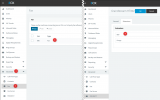
If an FXS port is going to be used for a Fax, then you need to configure it with a "Fax Extension" selected:
1643702357126.png

Doing it this way 'tells' 3CX to go in a sort of pass-through mode so that the FXS Gateway can communicate directly with the Provider without 3CX changing/editing any of the packets.
 
Hi All,

Sorry about the reply delay.

Until this morning, there was no answer if I called it. I checked all the points listed below and they were properly configured.
  1. FXS/DECT Extension created with FAX extension added, as per NickD_3CX latest image.
  2. DECT XML config uploaded on the FXS.
  3. DID created with route "Send fax to configured to the Fax Device.
Even then, the fax was in status "Not Registered" on the FXS. Which probably explained why it couldn't be reached with a call.

But this morning (for no reason at all since nothing changed), the fax is now in a "Registered" status.
I can properly call it and it rings.
Any idea why the status changed by itself ?

I haven't used it for sending or receiving a fax, but I guess it's supposed to work now.
Thanks a lot all for your help.
 
Glad to hear that it is working now!

Unfortunately I have no idea why it would just start working by itself all of a sudden.
One theory is that due to your initial tests, the IP of it may have become blacklisted, then you configured it correctly, but didn't register due to blacklisting, but after the blacklist entry was auto removed after a day, now it registered.

Wild guess but that's all I've got. Let's hope it stays this way!
 
Glad to hear that it is working now!

Unfortunately I have no idea why it would just start working by itself all of a sudden.
One theory is that due to your initial tests, the IP of it may have become blacklisted, then you configured it correctly, but didn't register due to blacklisting, but after the blacklist entry was auto removed after a day, now it registered.

Wild guess but that's all I've got. Let's hope it stays this way!
Ah it could have been that indeed. I just checked the logs and found that on the 2nd it was blacklisted for a day.
It was not the day after, so it probably worked once everything was properly configured.

Thanks a lot for your help !
Have a nice weekend.
 
  • Like
Reactions: NickD_3CX
You too! Glad everything is sorted :)
 
Status
Not open for further replies.

Forum statistics

Threads
111,974
Messages
590,081
Members
164,899
Latest member
mazet