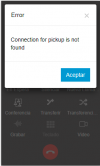
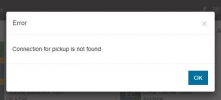
Under Review Connection for pickup is not found

Status
Not open for further replies.

BryanN

Customer
Advanced Certified
Joined
Feb 25, 2021
Messages
13
Reaction score
3
Hi good day,

We're having an issue when picking up calls, with an Error saying "Connection for pickup is not found", not sure why is this message showing up, their internet connection is not a problem also they are having that problem on the webclient. What could be the reason of this Error?
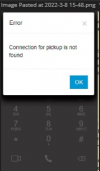
1646782268404.png

Thanks in advance,

Bryan
 
Good day,

We are experiencing the same issue on the Windows Client.

Desktop App: v18.8.508
3CX Server version: 18.0 (Build 450)

The specific extension can make calls out to internal extensions but not to external numbers, then the same error appears.

  1. Are the users using more than one client? i.e They have an open PWA client while using the Desktop App or WebClient and Desktop App open at the same time?
    1. Tested on both PWA and Desktop App, both do the same thing. Tested individually as well, same thing happens.
  2. This happens to all users, both local to the PBX and connecting externally?
    1. Currently, just the one user that has updated to the latest 3CX client for Windows (Desktop Client)
  3. Is there any VPN connection being used by the people experiencing this? Yes or No?
    1. No
  4. Does this happen for all users at the same time or is it happening at random?
    1. Advised all other users not to update yet as this would affect productivity immensely, so only 1 user.
  5. This ONLY happens when you try to pickup a call normally, and not with *20*?
    1. When picking up a call normal and also when making a call
  6. After you answer a call when this happens, the next immediate call does not work? I see above that you mentioned it happens sporadically, but what do those users do to continue receiving calls? Does the error occur then stop on its own?
    1. User is currently using her cellphone and it works fine on her cellphone (iOS)

Does anyone have a solution for this or for what is causing this?
 
Hi @BryanN, @JJ-3CX-TX, @ignoble, @Nee_BinaryCity,

I believe this would benefit us if it could be logged to Support for further investigation. If one of your has an available ticket, it may benefit you to create a group chat between yourselves to keep up to date with each other and what Support finds. Link this thread to your support ticket as it includes valuable information and they can update everyone when it is resolved.
 
Last edited:
Hi @BryanN, @JJ-3CX-TX, @ignoble, @Nee_BinaryCity,

I believe this would benefit us if it could be logged to Support for further investigation. If one of your has an available ticket, it may benefit you to create a group chat between yourselves to keep up to date with each other and what Support finds. Link this thread to your support ticket as it includes valuable information and they can update everyone when it is resolved.
Hi There, @VasilisV_3CX --

Doesn't that mean we would have to purchase the support? Which doesn't quite seem fair as this seems to be a bug/problem with the Window Desktop Client and not with our set up. It has been working just fine and started, as you see multiple users have reported it?

How do we report it to Support without buying Support, if we don't have support?
 
Hi @Nee_BinaryCity,

@ignoble happens to be a partner that can escalate this to support on behalf of all of you. Also just to note, that if Support finds the issue to be caused by 3CX, they will credit you the ticket back, for use whenever you need it in the future.
 
  • Like
Reactions: Nee_BinaryCity
Ah! Thank you, @VasilisV_3CX -- I'll keep that in mind.

@ignoble -- Would you mind creating the ticket on your end, and looping us into the thread, please?
 
  • Like
Reactions: VasilisV_3CX
That would be great, please and thank you as we are still having that issue.
 
I had this happen this morning. A coworker called so it was internal, no queue or ring group. At first we couldn't hear each other but he said he heard the last thing I said as I hung up and called him back. We updated to 18U3 two weeks ago (March 2) and I think this is the first we've encountered this error. I'm at home today, no VPN, just connecting to the server in our data center. I'm using the the desktop app. Not sure what was different about this call than any other, except it was the first call of the day.
 
I have the same error, also with latest version.
 
Hi All,

Just to let you know we've found a simple way to replicate it and it happens when users click the answer button (green button) in quick succession, can you let me know if your users were perhaps doing this?
 
happens when users click the answer button (green button) in quick succession
Meaning, a double click? I tried to reproduce it with combinations of double-clicking the green button and headset button but couldn't. Though it's only happened the one time for me. I was actually going to write it off as a weird headset issue until I saw this thread...
 
Meaning, a double click? I tried to reproduce it with combinations of double-clicking the green button and headset button but couldn't. Though it's only happened the one time for me. I was actually going to write it off as a weird headset issue until I saw this thread...
Actually multiple rapid clicks on the answer button should cause this. It would be useful to know if this is what is causing the error for your users too or if it is something completely different.
 
Chris, I tried a few times again just now and couldn't repro it, so it may have been something else. I'll keep an eye out if it happens again.
 
Hi All,

Just to let you know we've found a simple way to replicate it and it happens when users click the answer button (green button) in quick succession, can you let me know if your users were perhaps doing this?
Good day, updating on what happened when I did answer a call from my extension (never had this issue before on my ext)... that message appeared
1647454252403.png
Indeed, it happens when clicking in quick succession the green (answer) button. I tried it multiple times and always had the same result. I'm not sure if this is the only reason of this happening, but I can tell this one was one of the reasons.
 
However, clients are telling me that they are clicking the green button just once, and this error pops up.
 
I, too, have received a complaint from one of our clients about this very same problem.

So far they have reported the problem for one extension, we have not done any further testing yet. Has anyone been able to identify the cause of this issue yet?
 
So far they have reported the problem for one extension, we have not done any further testing yet. Has anyone been able to identify the cause of this issue yet?
As mentioned above, we have found that clicking the answer button in fast succession will cause this and this seems to always be replicable.

If anyone stumbles upon another scenario that can be reproduced please do let us know.
 
We are experiencing the same error after we upgraded to V18.0 Update 3 (Build 461) (We never had this issue on v16) it doesn't happen all the time but it does happen, I could replicate it by clicking twice (or more) the answer button, it looks like a bug.

1648508019077.png
 
We've been having this issue for over 3 weeks now, spent quite a bit of time TS network and PCs. We use just the desktop apps however one user who last had this issue uses the PWA client because the PC was too old for the desktop app.
Seems to have progressively gotten worse with more users affected.
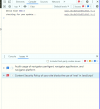
Whenever this happens, I see a CSP error in the chrome console.1648552959230.png
 
@dayoa
Have you queried users facing this issue at all to determine if they are indeed perhaps clicking the answer/accept button successively multiple times?

If they can confirm this is not the case, does there seem to be anything else in common with these cases other than the error you see?
 
Hey @ChrisC_3CX,
Let me find out if this is happening.
 
  • Like
Reactions: ChrisC_3CX
Status
Not open for further replies.

Forum statistics

Threads
111,973
Messages
590,079
Members
164,898
Latest member
grahamaskew