

- Joined
- Jul 1, 2016
- Messages
- 6,672
- Reaction score
- 2,663
Has anyone managed to get it so you're able to click to call numbers from the Connectwise desktop app?
if so, can you tell me how?
thanks.
if so, can you tell me how?
thanks.


Then the license is fine.Yes my desktop client is configured to the same extension.
its an ENT license we have.

The thread you linked is old, that issue has been fixed. If you're experiencing an issue with TAPI, please describe it with all the details you can provide.Actually I would like to reference this thread for the issue as we had ours break earlier this year and I am just getting around to fixing it. It seems this is a known issue:
https://www.3cx.com/community/threa...-version-16-3-0-111-update.72729/#post-326751
This is kind of a serious issue for us, is there any resolution that has been found yet?
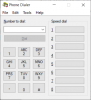
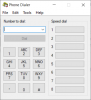
In first place, you need to check if the issue is on the ConnectWise side, or the 3CX TAPI side. To do this, launch the Windows Dialer application, go to Tools > Connect Using, and configure 3CX TAPI. Then try to make a call. This is the app I'm referring to, just in case you don't know it:Having same issue. Cant get this thing to work. Tapi has been setup but can make the call, also wanted the time entry to get updated with the call info. I know it did this in the crm part but i also want it in the notes of a ticket. Any one have any other suggestions other then whats posted above? Im setup the same.
Founded in 2005, when VoIP was an emerging technology, 3CX has gone on to establish itself as a global leader in business communications.


