


- Joined
- Jun 20, 2018
- Messages
- 4,467
- Reaction score
- 2,186
Two weeks or so ago my web client (Chrome) started opening a tab on incoming calls, trying to open the contact in ConnectWise. It didn't do that before. I'm not sure what changed other than installing the recent hotfix for v16 update 4. The tab opened is a URL like:
https://na.myconnectwise.net/v2019_3/ConnectWise.aspx?routeTo=ContactFV&recid=186
https://na.myconnectwise.net/v2019_4/ConnectWise.aspx?routeTo=ContactFV&recid=2207
Note the URL differs between calls. The result is a page with only "Bad Request" on it. I have seen other posts here from 3CX saying, "The URL is returned by the ConnectWise web service, it's not hardcoded in the template." However if I look in our Contacts I see multiple entries for contacts each with their own URL in the CRM button, but the same ID number. Clicking CRM on each, I found the URL https://na.myconnectwise.net/v2020_1/ConnectWise.aspx?routeTo=ContactFV&recid=186 doesn't show an error but shows a login page.
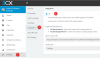
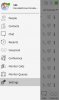
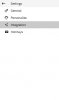
Since we use the desktop client for ConnectWise and aren't logged in to it in the browser, I set Settings/Integration to Off however the popups still show??
I opened Settings/CRM Integration and found the CW integration had an update, so apparently those modules don't show under Updates, and aren't auto-updated like SIP trunks. (I'm assuming it didn't come out the last few days but I suppose that's possible) I updated the integration on the server yesterday but the problem continues.
I set up the CW integration last year per https://www.3cx.com/docs/pbx-crm-integration-connectwise/. Journaling and Enable Contact Creation are unchecked.
Overall is there a way to get it to look up numbers in ConnectWise contacts but not try to open the ConnectWise URL?
Is there a way to not have it create multiple contacts in 3CX? Given the above it seems like 3CX is creating a new one when the URL changes, and is incorrectly opening the old one.
Is there a way to clean up multiple contacts?
Thanks,
https://na.myconnectwise.net/v2019_3/ConnectWise.aspx?routeTo=ContactFV&recid=186
https://na.myconnectwise.net/v2019_4/ConnectWise.aspx?routeTo=ContactFV&recid=2207
Note the URL differs between calls. The result is a page with only "Bad Request" on it. I have seen other posts here from 3CX saying, "The URL is returned by the ConnectWise web service, it's not hardcoded in the template." However if I look in our Contacts I see multiple entries for contacts each with their own URL in the CRM button, but the same ID number. Clicking CRM on each, I found the URL https://na.myconnectwise.net/v2020_1/ConnectWise.aspx?routeTo=ContactFV&recid=186 doesn't show an error but shows a login page.
Since we use the desktop client for ConnectWise and aren't logged in to it in the browser, I set Settings/Integration to Off however the popups still show??
I opened Settings/CRM Integration and found the CW integration had an update, so apparently those modules don't show under Updates, and aren't auto-updated like SIP trunks. (I'm assuming it didn't come out the last few days but I suppose that's possible) I updated the integration on the server yesterday but the problem continues.
I set up the CW integration last year per https://www.3cx.com/docs/pbx-crm-integration-connectwise/. Journaling and Enable Contact Creation are unchecked.
Overall is there a way to get it to look up numbers in ConnectWise contacts but not try to open the ConnectWise URL?
Is there a way to not have it create multiple contacts in 3CX? Given the above it seems like 3CX is creating a new one when the URL changes, and is incorrectly opening the old one.
Is there a way to clean up multiple contacts?
Thanks,


 Edit: also the hotkeys and chat changes aren't noted in the changelog, which is why I assumed we didn't have the new extension yet. Oh, never mind, I see the changelog at the top says it is for changes, not new features.


