ConnectWise popup tab shows Bad Request, even with Integration Off, with multiple contacts

Status
Not open for further replies.

SteveITS

3CX MVP
Silver Partner
Advanced Certified
Joined
Jun 20, 2018
Messages
4,404
Reaction score
2,139
Two weeks or so ago my web client (Chrome) started opening a tab on incoming calls, trying to open the contact in ConnectWise. It didn't do that before. I'm not sure what changed other than installing the recent hotfix for v16 update 4. The tab opened is a URL like:

https://na.myconnectwise.net/v2019_3/ConnectWise.aspx?routeTo=ContactFV&recid=186
https://na.myconnectwise.net/v2019_4/ConnectWise.aspx?routeTo=ContactFV&recid=2207

Note the URL differs between calls. The result is a page with only "Bad Request" on it. I have seen other posts here from 3CX saying, "The URL is returned by the ConnectWise web service, it's not hardcoded in the template." However if I look in our Contacts I see multiple entries for contacts each with their own URL in the CRM button, but the same ID number. Clicking CRM on each, I found the URL https://na.myconnectwise.net/v2020_1/ConnectWise.aspx?routeTo=ContactFV&recid=186 doesn't show an error but shows a login page.

Since we use the desktop client for ConnectWise and aren't logged in to it in the browser, I set Settings/Integration to Off however the popups still show??

I opened Settings/CRM Integration and found the CW integration had an update, so apparently those modules don't show under Updates, and aren't auto-updated like SIP trunks. (I'm assuming it didn't come out the last few days but I suppose that's possible) I updated the integration on the server yesterday but the problem continues.

I set up the CW integration last year per https://www.3cx.com/docs/pbx-crm-integration-connectwise/. Journaling and Enable Contact Creation are unchecked.

Overall is there a way to get it to look up numbers in ConnectWise contacts but not try to open the ConnectWise URL?

Is there a way to not have it create multiple contacts in 3CX? Given the above it seems like 3CX is creating a new one when the URL changes, and is incorrectly opening the old one.

Is there a way to clean up multiple contacts?

Thanks,
 
Hello Steve,

The problem here is that ConnectWise updates the contact URL from time to time, because they include the version in it. Then, when the returned URL changes, a new contact is created, and the old contact persists in 3CX Contacts, so you end up with 2 contacts. The first contact added will be taken for CRM integration, so the popup will use the old URL, causing this Bad Request error, because that URL has been dropped from the server.

If you want to avoid this, you will need to delete all CRM contacts from 3CX Contacts. You have a button to do this from the 3CX Console > Advanced > Contacts > Delete CRM Contacts. This will remove all the contacts of type "CRM" from 3CX Contacts. This doesn't affect the contacts in your CRM.

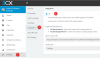
In any case, if you configure the Web Client turning off the CRM integration, you should not get a popup when you receive a call. This is how you need to configure this:
1587065084646.png
 
Sounds like two different issues then.

I definitely have that setting off. I've closed Chrome and ensured it's not staying open, and logged in again. I do have the extension but I don't see a separate setting in the extension. Suggestions to get it to stop?

re: contacts, is there a solution other than periodically deleting all CRM contacts? I guess I can do that every few months but it seems like it should be more automated. It would be handy to have the name show but we don't need the popup. Perhaps it can be rewritten to sync on the CW recID number instead of the full URL?
Edit: will changing "Query CRM" to "only if contact is not found in 3CX phonebook" not create a new contact when the URL changes?
 
FWIW:
1587066195915.png
 
Sounds like two different issues then.

I definitely have that setting off. I've closed Chrome and ensured it's not staying open, and logged in again. I do have the extension but I don't see a separate setting in the extension. Suggestions to get it to stop?
This is very weird. I just tested this case myself and the popup is not being launched when the setting is set to Off. What version of 3CX are you using? Are you also using a Chrome or Edge extension by any chance?

re: contacts, is there a solution other than periodically deleting all CRM contacts? I guess I can do that every few months but it seems like it should be more automated. It would be handy to have the name show but we don't need the popup.
Unfortunately this is not possible, you would need to login to the 3CX console and manually delete the conacts. The link doesn't change very frequently, so doing this every 2 or 3 months should be fine. Maybe when you detect that contacts are being duplicated...

Perhaps it can be rewritten to sync on the CW recID number instead of the full URL?
This is not possible, the 3CX CRM engine works in the same way for all the integrations we support.

will changing "Query CRM" to "only if contact is not found in 3CX phonebook" not create a new contact when the URL changes?
No, this will not help, because that setting is only for the case of a "normal" contact already existing in 3CX contacts (not a CRM contact). CRM contacts are always queried, because we need to update them in case they have been changed in the CRM.
 
3CX 16.0.504
I am using Chrome and the extension. I just logged out, deleted cookies for our server URL, logged in, set that setting to Off again, and still get the tab when I call myself from my cell. I know one other person here is using the web client at home and doesn't get a popup.

Thanks for explaining the contact lookup/sync.
 
Can you please try closing the Chrome Extension? I tested it here without the extension, and I don't get the popup. Maybe the issue is there?
 
closing the Chrome Extension
That's it. If I simply disable the Chrome extension I don't get the popup. If I re-enable it, I get the popup again.

I removed the extension and reinstalled it again and the popups seem to have disappeared. Yay!

Thanks,
 
  • Like
Reactions: edossantos
Glad to see that you have it working! We will check the issue with the Chrome extension, thanks for your feedback!
 
Ernesto, for what it's worth a coworker told me today had the same problem on their setup starting about a week ago. "Off" didn't stop the popup until he removed and reinstalled the extension. I see a new Chrome extension was released April 9 (?) so maybe there was a problem with the self-update?
 
So if I understand your theory, the web client was set with the integration enabled, and the Chrome extension started with that setting enabled? However the extension (presumably the older Chrome extension) was then not popping up the tab on every call.

I was assuming we didn't have the new "update 5" extension yet...the changelog at https://www.3cx.com/blog/change-log/browser-extensions-build-history/ for 3.0.1.70 says the only change was "Fixed issue not requesting permission for audio when camera device is missing/disabled." (we have also not installed update 5 yet) Seems like "the extension now has its own settings and doesn't use the web client settings" should be listed as a change? :) Edit: also the hotkeys and chat changes aren't noted in the changelog, which is why I assumed we didn't have the new extension yet. Oh, never mind, I see the changelog at the top says it is for changes, not new features.
 
Last edited:
So if I understand your theory, the web client was set with the integration enabled, and the Chrome extension started with that setting enabled? However the extension (presumably the older Chrome extension) was then not popping up the tab on every call.

I was assuming we didn't have the new "update 5" extension yet...the changelog at https://www.3cx.com/blog/change-log/browser-extensions-build-history/ for 3.0.1.70 says the only change was "Fixed issue not requesting permission for audio when camera device is missing/disabled." (we have also not installed update 5 yet) Seems like "the extension now has its own settings and doesn't use the web client settings" should be listed as a change? :) Edit: also the hotkeys and chat changes aren't noted in the changelog, which is why I assumed we didn't have the new extension yet. Oh, never mind, I see the changelog at the top says it is for changes, not new features.
Hello,

We do not mention features on change log. Only on blog post :)
The previous version prior the current one had a bug and the window was not opening when you had the Browser Extension enabled.
If you notice that fix with integration was fixed on the release that is done on Edge. Chrome consolidated all the fixes.
 
Ah, I understand now, thank you. I assumed that did not apply since it was only listed under "Edge."

Can I gently suggest a different approach to change logs? Plesk for example uses markers to note changes, fixes, and new features: https://docs.plesk.com/release-notes/onyx/change-log/ (see the Legend section at the top).
 
Thank you @SteveITS for your suggestion.
 
Status
Not open for further replies.