CORS/Hand Shake error for Client in Toronto Canada

Status
Not open for further replies.

CameronDhali

Forum User
Joined
Jan 28, 2020
Messages
3
Reaction score
0
I have a client in Toronto Canada who is using your wordpress live chat plugin and they can not connect to the server in order to use the plugin.

I have tested the functionality of all users who have access to the chat plugin and all of the uses work perfectly when access is from my IP in the USA.

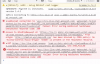
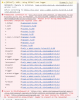
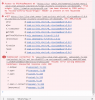
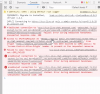
I have attached the console errors that my client in Canada is getting, and for reference I do not receive any error in the console when the IP is from the US.

Please let me know what action I need to take in order to resolve this issue.

Best,

Cameron
 

Attachments

  • Screen Shot 2020-01-28 at 9.54.04 AM.png
    Screen Shot 2020-01-28 at 9.54.04 AM.png
    191.4 KB · Views: 7
  • Screen Shot 2020-01-28 at 9.54.55 AM.png
    Screen Shot 2020-01-28 at 9.54.55 AM.png
    137.2 KB · Views: 7
  • Screen Shot 2020-01-28 at 9.58.27 AM.png
    Screen Shot 2020-01-28 at 9.58.27 AM.png
    382.3 KB · Views: 4
  • Screen Shot 2020-01-28 at 9.58.43 AM.png
    Screen Shot 2020-01-28 at 9.58.43 AM.png
    304.5 KB · Views: 4
Can you show us the WordPress Integration page of your 3CX? (Hide sensitive infos but my guess is HTTPS).

Also, how is the plugin configured on WordPress?
 
I see appspot in the request, I assume that you get different app engine routs in the final request to the web server as appspot is normal geo-distributed. Do you have an FQDN you can overlay to the app you are running?
 
  • Like
Reactions: Evolute IT
Can you show us the WordPress Integration page of your 3CX? (Hide sensitive infos but my guess is HTTPS).

Also, how is the plugin configured on WordPress?

Unfortunately I cant seem to find a configurations print out provided in this plugin, is there a specific tab I should be look under to find it?

Otherwise is there a specific tab under the 3CX plugin Settings that I should screenshot for you in regards to this error?
 
Unfortunately I cant seem to find a configurations print out provided in this plugin, is there a specific tab I should be look under to find it?

Otherwise is there a specific tab under the 3CX plugin Settings that I should screenshot for you in regards to this error?
The plugin settings on WordPress please.

Also, you need to configure the URL under 3CX Console > Settings > WordPress Integration.
 
I see appspot in the request, I assume that you get different app engine routs in the final request to the web server as appspot is normal geo-distributed. Do you have an FQDN you can overlay to the app you are running?

Sorry Stefan,
The plugin settings on WordPress please.

Also, you need to configure the URL under 3CX Console > Settings > WordPress Integration.

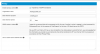
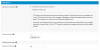
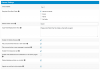
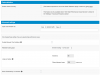
Here are the setting found under the Live Chat section of the wordpress admin.

And unless there is another installation guide I should be referring to, this is the current one I am using https://www.3cx.com/docs/live-chat-talk-wordpress-plugin/ , no mention of setting up wordpress integration on the 3CX console.

This is a standard wordpress site using only the free chatting plugin with no additional services.
 

Attachments

  • Screen Shot 2020-01-29 at 9.51.43 AM.png
    Screen Shot 2020-01-29 at 9.51.43 AM.png
    64.5 KB · Views: 6
  • Screen Shot 2020-01-29 at 9.52.14 AM.png
    Screen Shot 2020-01-29 at 9.52.14 AM.png
    69.1 KB · Views: 6
  • Screen Shot 2020-01-29 at 9.53.46 AM.png
    Screen Shot 2020-01-29 at 9.53.46 AM.png
    66 KB · Views: 4
  • Screen Shot 2020-01-29 at 9.54.03 AM.png
    Screen Shot 2020-01-29 at 9.54.03 AM.png
    69.4 KB · Views: 5
Status
Not open for further replies.

Forum statistics

Threads
112,147
Messages
590,959
Members
165,167
Latest member
Finatra.us