CRM integration with custom URL returned

Status
Not open for further replies.

saphico

Silver Partner
Basic Certified
Joined
Mar 20, 2012
Messages
12
Reaction score
0
Hi,

I'm looking for the best way to send the data to a custom CRM.

What I have discovered so far is that we can work with a call flow (HTTP request to the CRM and then a transfer to a specific number wit another call flow).

Or with the CRM wizard without a call flow.

What is the best way of working?

The idea is that every time a phone rings we need to know who the caller is and the number called. We then check the CRM to see whether the contact already exists or not.

1. contact exists in CRM: a URL should be opened automatically with the customer file. We send that URL back from the CRM.

2. contact in CRM does not yet exist: contact will be created in the CRM and the URL of the customer sheet will be returned.

The CRM part is already ok, but the 3cx side is not yet. How do we best approach this?
 
Ok all clear but just one thing:

do you know when the http request is executed and when the CRM connection (build with the CRM Wizard) is executed?
I should know which one comes first or do they start together?
 
The Contact Lookup from the CRM engine is triggered as soon as the call arrives to 3CX. Then the call is routed to the CFD app, and at some point the HTTP request is executed from there. So, depending on what you CFD app is doing, you might have a race condition (you don't know which one will be executed first), or you might be sure that the CRM engine will be executed first (if your CFD app does something else at the beginning)....
 
I understand.

Just another question. Is this possible with the CFD?

1. HTTP request naar een webserver
2. JSON response from the webserver with 1 param x or y

Depending on whether the x or y parameter returns from the response, we have to follow a different flow.
 
I don't fully understand. Following your link, we have to use the JSON parser to save the param x or y (coming from the HTTP request) as a variable?
And what after that? "Create a condition" component or something?
Can you explain more in detail please?
 
Yes, correct, the JSON / XML Parser component lets you analyze the JSON and map some values to variables. Then you can use conditions to decide what to do.
 
Dear all, I am following the steps and I am stopped at the last point.
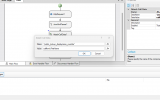
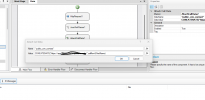
The problem is in the POPUP, when I try to make a call it completes and is on hold for answering, but the extension does not ring and the extension is available, everything is ok, after 30 seconds the call is directed to the extension's VOICEMAIL. I followed the same script above for HTTPrequest, Json, Attach call data, Attach Calldata and Transfer.
In the destination extension's webclient, it is correctly configured as an open contact URL, using integration.

From what I see, everything passes the data correctly and fills in the url to reach the webclient to open as a POPUP.
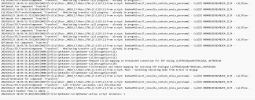
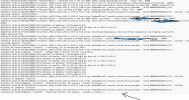
But soon after, when the call is delivered, this expression keeps repeating itself until it goes to VOICEMAIL.

2024/01/23 18:05:54.716|2856|0019|Trc|CallPair._0010_17.Main.2766.[C:1139.2]-From script: BanbanMilvus17_consulta_contato_envia_pararamal - CallID 0000018D382482E4_1139 - Callflow - OnTimeout for component 'Transfer1'

It's as if there was a lack of processing on the server to open the connection, but I look at the dashboard and the machine's consumption is low.

Below are the logs.

the connection is between
CFD - 0010
origin - 0101
destiny - 1056
 

Attachments

  • Screenshot 2024-01-23 180103.png
    Screenshot 2024-01-23 180103.png
    42.5 KB · Views: 10
  • Screenshot 2024-01-23 180139.png
    Screenshot 2024-01-23 180139.png
    51.7 KB · Views: 10
  • Screenshot 2024-01-23 181238.png
    Screenshot 2024-01-23 181238.png
    133.3 KB · Views: 9
  • Screenshot 2024-01-23 180806.png
    Screenshot 2024-01-23 180806.png
    210.3 KB · Views: 10
Last edited:
  • Like
Reactions: Evolute IT
This is my JSON query in CFD

CONCATENATE("https://apiintegracao.com.br/api/cliente/contato/pesquisar?telefone=",session.ani)


This is my JSON response.

[{"cliente_nome":"LJ01 - BARÃO","cliente_id":"BQZ235","contato_descricao":"Ramal 3cx","contato_email":"","observacao":"","contato_telefone":"1057","contato_celular":""}]


I do not receive the CONTACTURL response from the CRM system.

This CONTACTURL below I configured manually through the CRM Configurator and it is working correctly there.

<Output Type="ContactUrl" Passes="0" Value="https://app.com.br/global-search/[FirstName]" />

I would like to make the CFD send this URL above to the agent call, just like with an inbound call via the system's configured CRM.
 
  • Like
Reactions: Evolute IT
I will analyze and deal with it there if there is any problem. OK.
 
I looked here in the post, but the problem is that the JSON return does not have the Conctacturl variable, I built this variable in the CRM configurator within 3CX.
<Output Type="ContactUrl" Passes="0" Value="https://app.com.br/global-search/[FirstName]" />

I want to invoke this URL when the call arrives through the CFD that I am setting up for an internal demand between extensions, the logic will be to connect the extension in the CFD and transfer it to the extension queue B and C, today I can do it when the call comes directly through the incoming DID.
I want to invoke this URL above when passing the CFD, the problem is that my CRM software does not return a "ContactUrl" variable in JSON, which I created in the 3CX custom CRM model as you can see above.
 
If necessary, I can open a Ticket directly on 3cx support, what do you think?
 
Can anyone find a way to activate the operation according to my idea?
 
Status
Not open for further replies.

Latest Posts

Forum statistics

Threads
111,973
Messages
590,075
Members
164,895
Latest member
jasonkkrause