- Joined
- Oct 26, 2023
- Messages
- 7
- Reaction score
- 1
Hi guys,
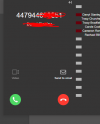
A big thank you to all who helped me with my CRM template. It has been working great however I had issues with the caller name not populating on the phone display so I tweaked it a little to accommodate this.
An unexpected bi-product of this is that the CONTACTID pop up is no longer working and I am very confused.
Here is the log that indicates we're got a successful call and the Contact URL that is created is correct - just no pop up action.
Anyone able to advise?
2023/11/01 14:50:02.332|9364|0064|Verb|CRM: Filtered variables for matching:
2023/11/01 14:50:02.332|9364|0064|Verb|CRM: 'Email' = '[email protected]'
2023/11/01 14:50:02.332|9364|0064|Verb|CRM: 'CompanyName' = 'xxxxxxxxxxxxxx'
2023/11/01 14:50:02.332|9364|0064|Verb|CRM: 'FirstName' = 'Darryl'
2023/11/01 14:50:02.332|9364|0064|Verb|CRM: 'PhoneMobile' = 'xxxxxxxxxxx'
2023/11/01 14:50:02.332|9364|0064|Verb|CRM: 'FullName' = 'Darryl xxxxxxxxxxxxxxx'
2023/11/01 14:50:02.332|9364|0064|Verb|CRM: 'type' = 'person'
2023/11/01 14:50:02.332|9364|0064|Verb|CRM: 'ContactID' = 'f6b48e8f-6931-4865-a0a4-c5b478f96046'
2023/11/01 14:50:02.332|9364|0064|Verb|CRM: 'LastName' = 'xxxxxxxxxxx'
2023/11/01 14:50:02.332|9364|0064|Info|CRM: providing found CRM contact to subscribers. call: 0000018B8B5CDE04_368, number: 447944693251
2023/11/01 14:50:05.088|9364|0064|Info|Sending PUSH call-ended for dn=204, replaces=BUqFilxtNEsSsrygKo7_3w..;from-tag=fd64f84d;to-tag=7e49c904, callerid=447944693251, callername=xxxxxx xxxxxxxxx, callid=368
2023/11/01 14:50:05.089|9364|0064|Info|Sending VAPID PUSH to extension 204 device Chrome on Windows
2023/11/01 14:50:05.112|9364|0064|Verb|Dequeue Deleted.CONNECTION.2108
2023/11/01 14:50:05.112|9364|0064|Info|Sending PUSH call-ended for dn=206, replaces=gj6IzteH1Bj8kErJHL-qng..;from-tag=0fc37f73;to-tag=fae02a7a, callerid=447944693251, callername=Darryl xxxxxxxxxxxxx, callid=368
2023/11/01 14:50:05.112|9364|0064|Info|Sending PUSH to extension 206 device samsung SM-G998B
2023/11/01 14:50:05.112|9364|0064|Info|Length of PUSH data to be sent to FCM: 484 bytes
2023/11/01 14:50:12.553|9364|0012|Verb|CRM: call ended and contact lookup is complete, reporting call...
2023/11/01 14:50:12.554|9364|0064|Verb|CRM: Call Journaling event received, but CRM template doesn't implement the ReportCall scenario, discarding event.
A big thank you to all who helped me with my CRM template. It has been working great however I had issues with the caller name not populating on the phone display so I tweaked it a little to accommodate this.
An unexpected bi-product of this is that the CONTACTID pop up is no longer working and I am very confused.
Here is the log that indicates we're got a successful call and the Contact URL that is created is correct - just no pop up action.
Anyone able to advise?
2023/11/01 14:50:02.332|9364|0064|Verb|CRM: Filtered variables for matching:
2023/11/01 14:50:02.332|9364|0064|Verb|CRM: 'Email' = '[email protected]'
2023/11/01 14:50:02.332|9364|0064|Verb|CRM: 'CompanyName' = 'xxxxxxxxxxxxxx'
2023/11/01 14:50:02.332|9364|0064|Verb|CRM: 'FirstName' = 'Darryl'
2023/11/01 14:50:02.332|9364|0064|Verb|CRM: 'PhoneMobile' = 'xxxxxxxxxxx'
2023/11/01 14:50:02.332|9364|0064|Verb|CRM: 'FullName' = 'Darryl xxxxxxxxxxxxxxx'
2023/11/01 14:50:02.332|9364|0064|Verb|CRM: 'type' = 'person'
2023/11/01 14:50:02.332|9364|0064|Verb|CRM: 'ContactID' = 'f6b48e8f-6931-4865-a0a4-c5b478f96046'
2023/11/01 14:50:02.332|9364|0064|Verb|CRM: 'LastName' = 'xxxxxxxxxxx'
2023/11/01 14:50:02.332|9364|0064|Info|CRM: providing found CRM contact to subscribers. call: 0000018B8B5CDE04_368, number: 447944693251
2023/11/01 14:50:05.088|9364|0064|Info|Sending PUSH call-ended for dn=204, replaces=BUqFilxtNEsSsrygKo7_3w..;from-tag=fd64f84d;to-tag=7e49c904, callerid=447944693251, callername=xxxxxx xxxxxxxxx, callid=368
2023/11/01 14:50:05.089|9364|0064|Info|Sending VAPID PUSH to extension 204 device Chrome on Windows
2023/11/01 14:50:05.112|9364|0064|Verb|Dequeue Deleted.CONNECTION.2108
2023/11/01 14:50:05.112|9364|0064|Info|Sending PUSH call-ended for dn=206, replaces=gj6IzteH1Bj8kErJHL-qng..;from-tag=0fc37f73;to-tag=fae02a7a, callerid=447944693251, callername=Darryl xxxxxxxxxxxxx, callid=368
2023/11/01 14:50:05.112|9364|0064|Info|Sending PUSH to extension 206 device samsung SM-G998B
2023/11/01 14:50:05.112|9364|0064|Info|Length of PUSH data to be sent to FCM: 484 bytes
2023/11/01 14:50:12.553|9364|0012|Verb|CRM: call ended and contact lookup is complete, reporting call...
2023/11/01 14:50:12.554|9364|0064|Verb|CRM: Call Journaling event received, but CRM template doesn't implement the ReportCall scenario, discarding event.