Custom template causing weird phone issues

Status
Not open for further replies.

VISA MC

Silver Partner
Advanced Certified
Joined
Mar 8, 2019
Messages
77
Reaction score
13
We have a custom template for Grandstream for the sole purpose of doing 2 things:
1 - Hiding the second Line key on the screen. (For those who don't use grandstream, it adds a second line key on the screen that does exactly the same thing as the first line key)
2 - Removes the inboynd caller ID ringtones for ivr, queue and external in order to allow us to actually use the ringtone selection from the Extensions screen.

That's it. When we provisioned 2 GXP2130's today we had lots of weird issues like no audio, the end-call button didn't work, when you would hang up the phone it would still ring but nothing appeared on the screen, etc.. Reprovisioned several times, rebooted, factory reset and reprovisioned all without success. Moved them to the default template and made upwards of 20 test calls, all sounded great and behaved as intended. I copied the template from the exact template we use in our office on 2160's (same template) and we have no problems.

This customer isn't high maintenance so they said it's not a big deal to have the second line button and annoying ring tone, but I was very puzzled by what made this happen.
 
Start with original template. TEST.
Add small mod's. TEST.
Add more mod's. TEST.
 
  • Like
Reactions: Evolute IT
Please know that the second line key is voluntary and is required. On the 3CX Grandstream setup page it is specified.

There's a good chance your problem is coming from there at first.
 
Please know that the second line key is voluntary and is required. On the 3CX Grandstream setup page it is specified.

There's a good chance your problem is coming from there at first.

Do you have any other information on this? It makes no sense why that key would be required. We have many others working just fine without it, some actually have a different PBX provisioned as Account 2 and is using the 2nd line button for the other PBX with zero problems.
 
Start with original template. TEST.
Add small mod's. TEST.
Add more mod's. TEST.
Thanks for your help. That is the process I followed to arrive at a working template on more than 100 phones (2160 and 2170) with absolutely no issues. The question was more of what would be causing the exact same template to work on one system but not on another in a catastrophic way?
 
  • Like
Reactions: Evolute IT
Look under known limitations for your model - https://www.3cx.com/support/

It states 3cx requires the first two keys as line keys
I guess I am looking for a little more technical information. Again, I have 7 phones in my office, all are provisioned without that second line button and all are working inbound and outbound without issues.
 
I guess I am looking for a little more technical information. Again, I have 7 phones in my office, all are provisioned without that second line button and all are working inbound and outbound without issues.

We don't have more information on why but my guess is because of the way the VPK are set (in Account mode, to allow direct-to-VPK transfers), you need this to handle multiple lines simultaneously. Without this, it would be hard to manage more than one call at once.
 
We don't have more information on why but my guess is because of the way the VPK are set (in Account mode, to allow direct-to-VPK transfers), you need this to handle multiple lines simultaneously. Without this, it would be hard to manage more than one call at once.
Even with one line key programmed, when you are in a call it lights up the rest of them and lets you receive second calls, transfer and conference without issue. I guess I can try the custom template without that modification and see if it still presents the issues we were having.

Unless there is a better way to resolve the ringtone issue that is spread all over this forum. It seems no matter what settings you put on the extension, the phones still use a set ringtone. The way around this we have found was to edit the template to remove the caller id specific ringtone rules, then the setting from the extension setting page actually works.
 
Even with one line key programmed, when you are in a call it lights up the rest of them and lets you receive second calls, transfer and conference without issue. I guess I can try the custom template without that modification and see if it still presents the issues we were having.
Try it and give me news, I am curious. If the second key isn't really needed, I will remove it too from mine.

Unless there is a better way to resolve the ringtone issue that is spread all over this forum. It seems no matter what settings you put on the extension, the phones still use a set ringtone. The way around this we have found was to edit the template to remove the caller id specific ringtone rules, then the setting from the extension setting page actually works.

This is a change that shouldn't affect the ability to function. You might wanna try, in "Settings -> Phone/App Otions" and select the option "Use custom ringtones per queue. Note: Each agent will configure distinctive ringtones for the queues. Non configured queues will play the ringtone used for normal calls" then reprovision. See if the ringtones match are still programmed on the phone.
 
Try it and give me news, I am curious. If the second key isn't really needed, I will remove it too from mine.


This is a change that shouldn't affect the ability to function. You might wanna try, in "Settings -> Phone/App Otions" and select the option "Use custom ringtones per queue. Note: Each agent will configure distinctive ringtones for the queues. Non configured queues will play the ringtone used for normal calls" then reprovision. See if the ringtones match are still programmed on the phone.

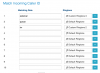
I came into the office to do some testing. I commented out the <P1365> <P1366> <P1467> and <P1468> from everywhere it was in the template and did the following tests.
  • Called in from an external number and transferred to another extension.
  • Called another extension.
  • Called in from an external number and accepted a second call from another extension.
  • Called in from an external number and accepted a second call from another external number.
I really don't see any limitations of removing the second line key. I've been working with Grandstream for a number of years and when we first started out, we made out own XML templates and hosted them on an FTP server. I'm pretty familiar with the provisioning files. I will order in a 2130 to match my customer's system and test further in my office.

Also as far as the ringtone issues, the problem is that the default template adds 3 caller ID rules: external, queue, ivr. however in the Extension settings > Phone Provisioning we only have the option to change the Default ringtone and Queue ringtone. External calls still use the ringtones that are hard coded in the template, and of course it's an annoying tone. Our fix was to just remove the caller ID rules for ivr and external from the template so that they use the default ringtone and then it becomes controllable from the 3CX dashboard.
 

Attachments

  • Screen Shot 2019-04-06 at 10.14.57 AM.png
    Screen Shot 2019-04-06 at 10.14.57 AM.png
    41.2 KB · Views: 5
  • Like
Reactions: Evolute IT
I came into the office to do some testing. I commented out the <P1365> <P1366> <P1467> and <P1468> from everywhere it was in the template and did the following tests.
  • Called in from an external number and transferred to another extension.
  • Called another extension.
  • Called in from an external number and accepted a second call from another extension.
  • Called in from an external number and accepted a second call from another external number.
I really don't see any limitations of removing the second line key. I've been working with Grandstream for a number of years and when we first started out, we made out own XML templates and hosted them on an FTP server. I'm pretty familiar with the provisioning files. I will order in a 2130 to match my customer's system and test further in my office.
It is strange that they say it's necessary if it works without it. I'll do some testing of my own and see.

Also as far as the ringtone issues, the problem is that the default template adds 3 caller ID rules: external, queue, ivr. however in the Extension settings > Phone Provisioning we only have the option to change the Default ringtone and Queue ringtone. External calls still use the ringtones that are hard coded in the template, and of course it's an annoying tone. Our fix was to just remove the caller ID rules for ivr and external from the template so that they use the default ringtone and then it becomes controllable from the 3CX dashboard.
I really wish they would give us at least an option to disable these. Some people just want 1 ringtone for all because we prepend the IVR/Ring Group name before the CID.
 
I really wish they would give us at least an option to disable these. Some people just want 1 ringtone for all because we prepend the IVR/Ring Group name before the CID.

Agreed. We don’t use call queues, but we do use ring groups. Queue is an option in the extension settings, but external is not. It seems external should be an option regardless.
 
Status
Not open for further replies.

Latest Posts

Forum statistics

Threads
111,919
Messages
589,740
Members
164,793
Latest member
Sense-IT-Mike