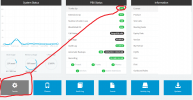
I updated 3cx and since then I can see my trunks up and running. The thing is that I cant see the SIP trunk information or edit the current SIP trunks.
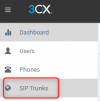
Try an incognito window or a different browser to see if this is a cache issue or not. Also which PBX version are you currently running. Can you click on the SIP trunks tab on the menu on the left sidebar?
Try an incognito window or a different browser to see if this is a cache issue or not. Also which PBX version are you currently running. Can you click on the SIP trunks tab on the menu on the left sidebar? View attachment 24870
I'm sorry, I actually had my 3cx version in my clipboard ready to paste it. I've just upgraded to 18.0.1880. I know there is a sip trunk option on the left side panel, or at least there used to be because is not there anymore.
Is this an on premise installation or Hosted by 3CX? Have you tried a reboot or clearing you cache or another browser as suggested above? Also are you logged in as admin or as a user?
Is this an on premise installation or Hosted by 3CX? Have you tried a reboot or clearing you cache or another browser as suggested above? Also are you logged in as admin or as a user?
I've tried using a different browser, on the same and a different computer. This is a on premise installation. I am loged as a admin, users have no access to the panel.
Are you the only administrator in the system ? If you login on Management Console with a user that has the permission to login with "System Administration" permission on MC > <Extension> > Rights then you will not have the option to edit SIP Trunks
Are you the only administrator in the system ? If you login on Management Console with a user that has the permission to login with "System Administration" permission on MC > <Extension> > Rights then you will not have the option to edit SIP Trunks
You are 100% right. We buy 3cx from a reseller. I used to have access to all of this but apparently this settings changed when I updated 3CX to a newer version. Now that I go there and see my account permits, I have no access to the SIP trunks. Thanks for the help!.