Database Server 99% CPU usage

Status
Not open for further replies.

kathanasias

Premier Customer
Joined
Sep 19, 2016
Messages
15
Reaction score
0
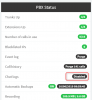
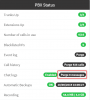
After upgrade from 16 to 16.1 the 3CX PhoneSystem Database Server is using the CPU at 99% when all the 3cx clients are connected.

Could someone explain why and what I could do to solve it? Thank you in advance!
 
Hi,

Can you confirm it drops to 0% if everyone disconnects?
 
Yes, it does drop to 2-3%...
 
Do you use any 3rd party integrations or have a very large number of contacts by any chance?
 
No 3rd party integrations at all. Only 120 extensions (vm Debian 2cores 2threads, 4gb ram)
 
As a test, I would recommend to create a backup, then purge the chats logs from the management console.

Can you confirm if this reduces the CPU usage down to normal levels?
 
Thank you for your support but I don't have chat logs enabled! Also, I cannot find a way to delete all the chat history for everyone...
 
That would be this button if you have it enabled:

10940
 
it can be found here, once enabled if there are any logs they will appear:

10942
 
thanks - I know where the button is. If I enable it, I will only see the chats or I will be able to delete the history of all users too?
 
You will be able to Purge the chats too, and then see if the CPU usage drops

10945
 
Thank you both for your help. It works fine now. Purged all chat (2millions) and calls (900K). The problem is that it shouldn't have issue. v16 was ok. Dear 3cx team, instead of breaking things, please try to fix them!
 
Please note that we are already aware of this and the fix will be released in the upcoming service pack.
 
@JohnS_3CX By service pack do you mean a 16.1 version or the upcoming 16.0.2 that is currently in beta?

Was it confirmed that the chat history was the issue or did the call history also contribute? Deleting call history would make historical reporting difficult...
 
Hi newt,

As above, specifically the chat history. Fix is included in the upcoming Update 2
 
Great, thank you for the information.
 
I also have this issue with Version 16, Update 1, Build 16.0.1.273. and also chat functionality doesn't appear in any of the clients (Win, Android, or Web). Enabling chat logs and clicking purge drops CPU usage but doesn't seem to actually complete purging (dashboard shows Purge xxxxx messages). After a few hours of attempting to figure out what was happening with the chat functionality, I restarted the host machine - CPU has jumped back to 100% and chat icons still don't appear in the clients.
 
Problem has resolved. The 3CX install is Linux based running on a VM. After the restart, with the dashboard showing 100% CPU I checked resource utilization on the host platform - it showed 1% or so. Logging into the command line, top showed about 8%. I decided to just let it run since it appeared the dashboard CPU utilization was just displaying incorrectly. After 20 or 30 minutes, the dashboard CPU meter dropped to the normal 2-3% at idle.

(It isn't clear from my message above - the chat icons had disappeared from all of the clients and I was troubleshooting that problem when I restarted the VM.)

Chat started working again once the dashboard stopped showing 100% CPU.
 
Status
Not open for further replies.

Forum statistics

Threads
111,928
Messages
589,778
Members
164,800
Latest member
JensVoss