- Joined
- Apr 16, 2019
- Messages
- 38
- Reaction score
- 2
- 3CX Version, Professional Annual 18.0 U5 (build 418)
- Server OS Windows Server 2016
- Is the 3CX Server Hosted and where? On-premise
- IP Phone Make/Model/Firmware version, Grandstream GXP2130's
- Provisioning Method: Local
- Trunk Provider or VoIP Gateway Make/Model, Flowroute, Telnyx
- Has the Firewall Checker passed: YES
- Are custom Phone Templates being used: No
Hello all,
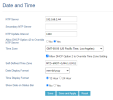
I am wondering if anyone else is experiencing this/has any suggestions. We were recently running 18.0 U3 and all was working as expected, over the weekend we updated to update 5 to ensure we didn't have any certificate issues come the end of the month. Well now we're receiving tickets that any desk phone that is rebooted (Grandstream GXP2130's) shows incorrect dates and times. Phones that have NOT been rebooted show the correct date/time. The date is 12-31-1969, and the time will always display as 4:01pm regardless of what time the phone was rebooted. It is not simply offset by a certain number of hours like you would see if it was reading the incorrect time zone. Phones have full network functionality otherwise and all functions appear to work. Static IP or DHCP gives the same results.
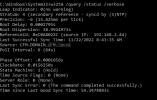
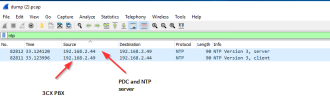
The PBX has the correct date, time, and time zone configured. Our AD sites are using 0.pool.ntp.org and everything appears to be able to communicate with the pool. The web client DOES show the correct date/time, just the desk phones do not.
Any suggestions are much appreciated.
Thank you
Last edited: