Debian 9 eats memory in System Server

Status
Not open for further replies.

macconsult

Bronze Partner
Joined
Apr 7, 2011
Messages
9
Reaction score
0
Dear all,
we deployed the Debian 9 iso from 3CX at the Google Cloud witch SBC and imported the configuration from the former 3CX Server in our internal network.
So far everything works just fine but we have to restart the server every two or three days because it hangs due to missing memory.

We use an engine with 1.7GB RAM and after restart it's taking about 30% of RAM. The next day or so RAM usage increased to 75% and more.
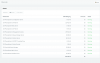
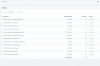
Mainly in the System Server (See the attached image).

I have the felling that after the configuration backup runs 3CX ist taking a lot of memory which will not be released anymore.
It's just a guess. Any other hints?

Thx!

Christoph
 

Attachments

  • Bildschirmfoto 2019-03-13 um 11.25.49.png
    Bildschirmfoto 2019-03-13 um 11.25.49.png
    101.8 KB · Views: 10
just for use to understand you system, how many extensions, IPphones (and vendor) etc are in the system. In some system this can be very well be a normal status of usage.
 
Hi Stefan,
we have 6 Snom and 2 Gigaset DECT phones with 11 extensions. This is our only 3CX Google installation where the Google Cloud ist suggesting a bigger engine than the our g1-small (1 vCPU, 1,7 GB). Other installations are even fine with the smaller micro engine.
Best,
Christoph
 
Are you doing call recording, running a lot of reports, etc? We run most of our instances on 1GB of memory (with swap) with no issues.
 
Hi Cobaltit,
no recordings, no reports, stripped to the minimum as our other 3CX Google Cloud installations.
It just starts with 400MB usage after restart and on the next day it's at 1.2GB (700 MB for System Server alone).
 
total used free shared buff/cache available
Mem: 1741380 1312696 112996 72760 315688 217228
Swap: 0 0 0
 
@macconsult I have a number of instances in 1GB of RAM w/ swap no problem.

Interested to see if something else is chewing up ram, can you run top from the CLI and sort by RES?

If it's a 3CX process, I wonder if you have some logs getting hammered or you have logging set to verbose. Could be chewing up ram handling too many log entries.
 
Hi Dan,
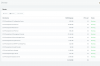
after restart it's all fine. Within the next hour the management console starts eating memory and within one day system server is doing the same. I attached two screen shots.
C
 

Attachments

  • Bildschirmfoto 2019-03-18 um 13.58.22.png
    Bildschirmfoto 2019-03-18 um 13.58.22.png
    102.8 KB · Views: 5
  • Bildschirmfoto 2019-03-18 um 14.25.09.png
    Bildschirmfoto 2019-03-18 um 14.25.09.png
    100.9 KB · Views: 5
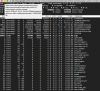
Here is a screenshot from top after the management console took mor memory and befor system server started to do so. I don't see any other task taking memory.
 

Attachments

  • Bildschirmfoto 2019-03-18 um 14.29.53.png
    Bildschirmfoto 2019-03-18 um 14.29.53.png
    212.4 KB · Views: 9
You might need to open a ticket for this case for further investigation if there is no obvious reason for this
 
Being a Basic Partner I can't open a ticket without payment. This is a bit said after I invested in partner trainings for my employees. Even my 2018 license sale to a 3CX customer is not recognized in the partner portal. So I'm basically lost now.
 
As far as the license sale goes, I recommend using our support form to contact the appropriate department and get it sorted https://www.3cx.com/contact-form/

Regarding the memory issue, can you confirm if you are running the latest 3CX V15.5.15502.6 ?
 
Hi John,
i will contact support regarding our sales.
We are using Enterprise 15.5.15502.6
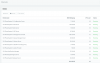
After the restart from yesterday System Server is still fine but Management Console is up.
Remember that we did a configuration restore from a formerly internal VM to Google cloud.
Best,
Christoph
 

Attachments

  • Bildschirmfoto 2019-03-19 um 10.19.45.png
    Bildschirmfoto 2019-03-19 um 10.19.45.png
    98.5 KB · Views: 6
Hi Christoph,

This case needs further in depth analysis from our Support Team, the other alternative would be to try and rebuild the installation from scratch but I understand that's not the best solution if you already have a lot of things set up..
 
Hallo John,
ich habe das Problem selbst gelöst. Mit der Google 3CX Express Installation werden abgelaufene Google PUBKEYS installiert. Daduch funktioniert auch apt-update nicht. Nach "curl https://packages.cloud.google.com/apt/doc/apt-key.gpg | apt-key add -"sind die Keys aktuell, apt-get update funktioniert und nach apt-get upgrade begnügt sich 3CX mit insgesamt 0,45MB RAM.
Vielleicht sollte man die Keys mal in der Google Express Installation aktualisieren...
Grüße,
Christoph
 
Hi Christoph,

I'm glad it was sorted, I will check up on the keys that you mentioned. This however still doesn't tell us why the management console was using more ram, so monitor it for a couple of days and lets see if there is any changes
 
Status
Not open for further replies.

Forum statistics

Threads
111,916
Messages
589,722
Members
164,786
Latest member
supuni_rathnayake