Solved Delete FQDN (*****.3cx.sc)

Status
Not open for further replies.

tedackah

Customer
Basic Certified
Joined
Oct 24, 2022
Messages
5
Reaction score
1
Hello Support,

I initially set this up on my laptop and have since deleted it.
I want to redeploy it in Vultr with a new domain name but it does not work.

Can you kindly delete the FQDN and release the NFR so i can re-use it on a new instance in the cloud with a new FQDN.

Regards,
Eyome
 
Hello,

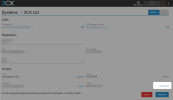
This is done by you via your 3CX portal, provided you have sufficient rights on that account:

1666680576858.png
 
  • Like
Reactions: Evolute IT
Thank you.
The rights were transferred to my colleagues account.

Regards,
Eyome
 
Hello, @tedackah
To disconnect the FQDN, you must be logged in to the 3CX portal as the account owner, with the currently registered email address.
If the ownership was transferred to your colleague's email address, they would need to log in to the 3CX portal with that email address to access Disconnect the FQDN option.

Best regards,
Irina
 
Hello Irina,

The issue is resolved.
I am the account owner and added my colleague.
Somehow, his account had access to delete the FQDN.

Regards,
Eyome
 
  • Like
Reactions: IrinaP_3CX
Hello @tedackah

Thank you for the update and we are glad that the issue is resolved.
 
Status
Not open for further replies.

Latest Posts

Forum statistics

Threads
111,972
Messages
590,066
Members
164,887
Latest member
KrishnaMR