Ok, lets see how this works

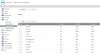
First I made sure the upgrade worked properly, and I was on the right firmware :
Attachment_1
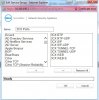
Next, I created all the ports I needed in Firewall-Service Objects
Attachment_2
Then I added the ports to a Service Group to make life easier.
Attachment_3
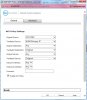
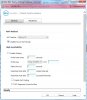
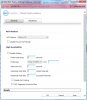
I then created two NAT rules using the 'Create a Reflexive Policy' option on the first page. Make sure you CHECK the box, I took the screenshot and forgot to have it checked
Attachment_4
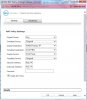
Once the rules were complete, they look like this in the Nat Policies
Outbound :
Attachment_5
Attachment_6
Inbound :
Attachment_7
Attachment_8
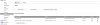
Once you apply the rules, check in the NAT-Policies list to ensure that your inbound/outbound NAT-Policies for 3CX occur BEFORE any general NAT policies - otherwise you'll never get to the 3CX one (Sonicwall does top-down processing, once it matches, it stops processing). So if you have a general outbound Any-Wan Primary IP NAT policy (which is pretty normal) then make sure your 3CX outbound policy occurs BEFORE the general one. Line 8 on my firewall has the 'disable source port remap' option set.
7 Any - Original - Wan Primary IP - 3CX PBX - 3CX Ports - Original
(Inbound, on the 3CX ports, forward to the PBX and leave the source IP and port unchanged)
8 3CX PBX - WAN Primary IP - Any - Original - Any - Original
(Outbound, from the PBX, translate the source to the WAN IP, leave the ports as is (Source Port remap disable))
9 Any - Wan Primary IP - Any - Original - Any - Original
(Outbound, Anything from any, Hide behind the WAN IP, leave the ports as is (but source port remap is allowed)
I can now perform the firewall test without issue, and all ports come back Green.
Let me know if that helps !!
Steve