- Joined
- Jan 7, 2021
- Messages
- 14
- Reaction score
- 0
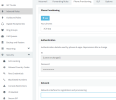
I am going to be moving our pbx to a different machine with a different local/internal IP. I have noticed in the account config of our windows client machines that there is a location "in office" local ip and an "out of office" pointing to the fqdn.
Just wondering how this will work. If these clients can't reach by in office internal ip because I moved the pbx and that ip address no longer works, will the client try out of office and connect?
Thats my hope/theory, which would be good because I have extensions set to reprovision on startup, so then the new internal IP would get pushed to them. Is this the case or am I going to have to push out new configs to every user once I move the pbx?
Just wondering how this will work. If these clients can't reach by in office internal ip because I moved the pbx and that ip address no longer works, will the client try out of office and connect?
Thats my hope/theory, which would be good because I have extensions set to reprovision on startup, so then the new internal IP would get pushed to them. Is this the case or am I going to have to push out new configs to every user once I move the pbx?