- Joined
- Jun 26, 2012
- Messages
- 4
- Reaction score
- 0
Hi,
A niggly little issue.
I set Shift+Z in DisplayFusion Settings - Functions - Window Management - "Toggle Window Always on Top", and apply this setting.
I open 3CX (http://downloads.3cx.com/downloads/3CXP ... dows14.msi) and press Shift+Z and the window stays on top off all other windows.
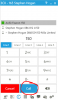
However, after I dial a number and when I press the "call" button, the setting to stay on top is lost, and I need to reapply it. the same goes for the "transfer" button (same location in the app, and comes up when I pick up a call and need to transfer it to someone else).
Note that dialing a number does not affect this setting - it seems only on "call", "transfer", "end call" - basically any button located at the bottom of the app.
Wondering if you had any thoughts or if this could be fixed?
Regards,
Stephen
A niggly little issue.
I set Shift+Z in DisplayFusion Settings - Functions - Window Management - "Toggle Window Always on Top", and apply this setting.
I open 3CX (http://downloads.3cx.com/downloads/3CXP ... dows14.msi) and press Shift+Z and the window stays on top off all other windows.
However, after I dial a number and when I press the "call" button, the setting to stay on top is lost, and I need to reapply it. the same goes for the "transfer" button (same location in the app, and comes up when I pick up a call and need to transfer it to someone else).
Note that dialing a number does not affect this setting - it seems only on "call", "transfer", "end call" - basically any button located at the bottom of the app.
Wondering if you had any thoughts or if this could be fixed?
Regards,
Stephen