Solved DTMF not working

Status
Not open for further replies.

Gemeinde Bodenkirchen

Free User
Joined
Aug 31, 2020
Messages
10
Reaction score
2
Hello,
i have Yealink T40G and T46S phones provisioned by 3CX. I must control an ip door unit from Behnke. Everything is on default settings but i cannot control the relay in the door unit by pressing a key and submitting a DTMF signal. I made a wireshark trace and saw, that the DTMF rechaes the 3CX as RTP event but is not forwarded to the extension. It makes no difference if its a internal or external call. I hope someone has a solution for me. Thank's a lot.
 
Hi,
sorry about the missing information.

  • Version is 16.0.641 running on a local Win 10 Pro machine
  • Yealink T46S Firmware 66.85.05
  • No custom templates
  • local provisioning
  • Trunk Provider German Telekom (no SIP-Trunk) but problem is also internal
  • Firewall Checker passed without errors
 
Can we also see the doorphone device SDP in its "200 OK" once it answers the call coming from the T46S ?
 
Last edited:
I have the same issue controling a Fanvil intercom. My solution was to create a custom template for the phones that had the required DTMF entry. The other option (which needs to be re-applied every time the phone reboots) is to login in to the phone and manually set a key with the DTMF settings required.

The real issue is that 3CX does not allow you to set DTMF as a BLF type in the management console. They really need to fix this ASAP. IP phones have supported DTMF since the year dot and it is disappointing that 3CX doesn't.
 
Hi @Michael.Talbot

Which Fanvil device are you referring to? Is it one of the supported models?
 
Can we also see the doorphone device SDP in its "200 OK" once it answers the call coming from the T46S ?
I'm nor sure what is meant. I can see that the doorphone answeres with 200 OK.
I did a factory reset of the T46S but now i can't see any DTMF infos any more.
Even with a brand new T40G i don't see any DTMF infos in the trace.
 
Hi @Michael.Talbot

Which Fanvil device are you referring to? Is it one of the supported models?
I'm using a Telecom Behnke BT 21-442-IP and i spoke to the Behnke Support. They are using 3CX to test their doorphones
 
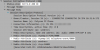
@Gemeinde Bodenkirchen you need to run a capture, call your doorphone, and when it answers you need to look at the 200OK message it sends. This can bee seen in wireshark like so, specifically under the Session Description Protocol, and we want to know if it contains the highlighted line for telephone-event (which tells us if it supports DTMF in the way se send it)
1598943220182.png
 
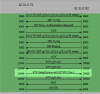
Here i a wireshark trace where i called the doorphone 192.168.10.135 from 192.168.10.153 and pressed the keys 0, 1, 2, 3 before i hang up.
 

Attachments

@Gemeinde Bodenkirchen you need to run a capture, call your doorphone, and when it answers you need to look at the 200OK message it sends. This can bee seen in wireshark like so, specifically under the Session Description Protocol, and we want to know if it contains the highlighted line for telephone-event (which tells us if it supports DTMF in the way se send it)
View attachment 17765
Thanks a lot for the info. I try to figure it out.
 
Ok, if have seen that the line you are looking for is missing.
 
  • Like
Reactions: JohnS_3CX
Yes, your capture shows that the doorphone does not support RFC2833.

If you can enable it in the doorphone then it should work fine.
 
Great so i will contact the manufacturer again.
Thank you for the quick support!
One additional question:
If i make a call from one T40G to another i see the rtpmap:101 telephone-event/8000
but if i press any key while the phones are connected i don't see any rtpevents in the trace. Is that an expected behaviour? I just see a line like Request: INFO sip:[email protected]:5060
 
You should see the events, start the capture and call one yealink from the other and press some buttons.

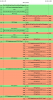
Here is an example: Yealink calls an IVR and pressed the button "1"

The type is RFC2833 telephone event
1598944940007.png
 
When i create an IVR and try the DTMF it's working fine. If i call from one extension to another i can't see any rtpevents, even if i see the rtpmap:101 telephone-event/8000 entry in the SDP.
 
Last edited:
You should still be able to see them from phone to phone once both sides support RFC2833

Yealink -> PBX -> GrandStream
1598962978956.png
 
Hi @Michael.Talbot

Which Fanvil device are you referring to? Is it one of the supported models?
I've installed 2 Fanvil i12 intercoms successfully and, yes, it is supported by 3CX. I did need to configure the intercoms manually as they don't provision through 3CX but, once I'd done that, they worked perfectly.
 
Status
Not open for further replies.

Forum statistics

Threads
112,149
Messages
590,966
Members
165,171
Latest member
Mahlon