Dynamics 365 click to call

Status
Not open for further replies.

DrEvil

Joined
Sep 29, 2018
Messages
5
Reaction score
0
We have installed the Microsoft Dynamics 365 server side integration and is working fine. We are however unable to click a phone number in a Dynamics 365 online record and have it call using the 3CX web client , as we only have the option to select Skype or Skype for Business in Dynamics 365’s system administration settings.

I have tried installing the 3CX click to call add-in for Firefox as suggested in the 3CX forum. This add-in works with most webpages but not Dynamics, which tries to call using Skype or whatever desktop application you have associated with the TEL: protocol. Do you know of any way we could get Dynamics click to call to use 3CX? Perhaps a code snippet to add 3CX as a call provider in Dynamics or something.

Many thanks in advance for any help :-]
 
You just need to disable the Skype option in Dynamics, so phone numbers are shown as simple text. Then the click to call extension will convert them to links to call using 3CX. If you configure Dynamics to use Skype, then Dynamics will render the web pages already with links to call via Skype, and 3CX will not be able to change them.
 
You just need to disable the Skype option in Dynamics, so phone numbers are shown as simple text. Then the click to call extension will convert them to links to call using 3CX. If you configure Dynamics to use Skype, then Dynamics will render the web pages already with links to call via Skype, and 3CX will not be able to change them.
In Dynamics you only have the choice of Skype or Skype for Business, but not none.
In Settings > Administration > only Skype or SfB can be selected.

Any ideas?

Many thanks
 
Uninstall Skype or the Skype click to call extension, just to check...
 
Thanks. We do not have Skype or the browser Skype extension installed.
Within the system administration menu of Dynamics 365 you have only the option to use either Skype or Skype for Business as the telephony provider, and it is this which is making the browser ask for Skype when clicking a hyperlinked phone number in Dynamics.
There is not an option for None. If there was, the 3CX browser extenson would probably work without a problem. I think Dynamics is acting on the hyperlinked phone number before the 3CX browser extention gets a chance.
This must surely be affecting all Dynamics 365 users?

Thanks
 
You need to contact Microsoft support regarding this. Many users are using the click to call extensions with Dynamics without any problem, so for sure this is something you can somehow disable...
 
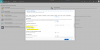
Attached is a pic of the telephony provider options in Dynamics 365.
I don't understand how others have this working, as I don't see a way to select None/Disabled in the Dynamics options and I am not familiar with any way to set the TEL: protocol to call the browser 3CX click-to-call add-on or the 3CX webclient.

Do any other 3CX and Dynamics 365 users have any success getting phone numbers clicked in Dynamics 365 to dial out using 3CX?

Thanks
Capture.PNG
 
We are having the same challenge, I am thinking of creating a second text field in which a Workflow fills in the same value as the phone number field.
 
We are having the same challenge, I am thinking of creating a second text field in which a Workflow fills in the same value as the phone number field.
Yeh, I can only imagine every Dynamics user must have this problem as our setup is pretty standard.

I think the best solutions would be if there was an app or something from 3CX to set in Windows as the handler for the TEL: protocol. This app could then pass the info to the 3CX webclient to place the call - in an ideal world of course.

If we hack Dynamics to disable the use of hyperlinks then it will likely get undone when it next updates, so the solution would be better to come from 3CX. Please :-]

Best,

Rob
 
Yeh, I can only imagine every Dynamics user must have this problem as our setup is pretty standard.
I know other users who are using the click to call extensions without any problem, so there must be a solution for this. Please contact Microsoft support to get help on this.

I think the best solutions would be if there was an app or something from 3CX to set in Windows as the handler for the TEL: protocol. This app could then pass the info to the 3CX webclient to place the call - in an ideal world of course.
If you install the 3CXPhone for Windows client, it will install the tel uri protocol handler, so any tel uri invokes 3CXPhone for Windows.
 
With the Windows 3CX app installed and the 3CX Click-To-Call Firefox extension when clicking a number in Dynamics it just opens a new browser tab.

I have the TEL: protocol set to the 3CX app in windows control panel, so still no dice.

Do any Dynamics users have any click-to-call functionality with 3CX working?

@3cx I think the solution will have to come from your side as Microsoft will just say that 3CX is not a validated add-in and therefore they don't support it. Would really appreciate some help with this x

Best,

Rob
 
This is driving me crazy too. I have it on a test environment with no office software. The only plugin is the 3cx plugin and it still tries to dial skype in the browser in chrome. The call to and Tel protocols are set to 3cx.
 
In doing more tests I think it something in Dynamics. Opening another website and clicking the phone number does open the 3cx client. Only opening the phone number in Dynamics tries to open a skype browser call that goes no where. I'll get with our devs and post a solution if we find one.
 
  • Like
Reactions: Dr Evil
Thanks @Micah Castorina .
@edossantos - Might this be someting 3CX could help with?
It is definately affecting all Dynamics 365 users, as confirmed in this thread. I have deployed another vanilla Dynamics 365 tenant to test with and it is exactaly the same problem.

I tried associating the old windows 3cx app to the TEL: protocol, but that does not help. When clicking phone number links in Dynamics it just opens a new blank browser tab, regardless of whether the desktop 3cx app is installed and associated with the TEL: protocol or not.

Thanks in advance
 
By the way we have an on premise version of dynamics 365 and have not got the integration piece working yet, however my understanding is that both on prem and online are virtually the same. I have 2 tickets in with microsoft as well. Hopefully between @3cx and @microsoft we will get this worked out. Our CRM Dev is looking into this as well.
 
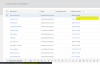
First, let me tell that this is NOT affecting all Dynamics users. I know that many users have this working properly, and even myself have it working properly in my testing environment, as shown in the following screenshot:
upload_2018-10-8_10-55-53.png

There you can see that when the mouse is over the phone number, we have the option to call via the 3CX Web Client. Also, in the status bar we see the link that is going to be used to make this call. In order to do this, you just need to enable the 3CX click to call browser extension:
https://www.3cx.com/phone-system/click-to-call/

Kind regards.
 
@edossantos Thanks for demonstrating that it can work.
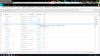
I have the 3CX browser click-2-call extension installed in Firefox and still just get the "install Skype" message on hover. Have you done anything else in the browser or Windows settings to get this working?

Many thanks

upload_2018-10-8_19-29-43.png
 
@Dr Evil, I did find that when under a different section in our CRM I was able to click to call using 3cx, but then under contact it was set to skype. So two different functions in the same CRM. This has to be some type of default configuration in CRM. Dr Evil, please let me know if you have a different click to call function elsewhere in CRM.
 
  • Like
Reactions: Dion Vansevenant
I have it working now. CRM reads certain numbers differently which is odd. Try going to Settings-Administration-System Settings-General Tab- Un-check "Enable country/region code prefixing" and "Set the Telephony provider" to skype for business/lync(not sure if this had an effect as I changed it first).

When you hover over the number it still shows the skype caption, but when you click on it, it opens the 3cx client as it should. At this point there may need to have some coding to disable skype completely which would cause links open to using the 3cx browser plugin only instead of the skype influence. I think CRM is trying to append the country code prefix and sending it to skype and by removing this feature it no longer does this. Hope this helps someone else.
 

Attachments

  • click to call link with skype caption.JPG
    click to call link with skype caption.JPG
    17.5 KB · Views: 25
I have all the integration pieces working, but when a user sends an email CRM give a warning that the email message below might contain a script and has been blocked. The click to call plugin sees a phone in the email and that bit of html is causing the error. There is no obvious way to turn this off in CRM. Removing the phone number fixes the problem, but that is not a fix. Anyone else sending emails and getting this warning?
 
Status
Not open for further replies.

Latest Posts

Forum statistics

Threads
112,323
Messages
591,896
Members
165,474
Latest member
costionofrei