Dynamics CRM Integration - Server Side

Status
Not open for further replies.

Michelle Dinh

Forum User
Joined
Dec 5, 2017
Messages
16
Reaction score
0
I have Dynamics 365 online
I completed the set up for this following the link below, but now I'm not sure what to do to enable it to start working.

How do I start seeing the pop up?
How do I get other users to start using this feature?
https://www.3cx.com/docs/dynamics-crm-integration/
 
Last edited:
This is how the integration works:
- When an inbound call arrives, the contact will be taken from Dynamics and imported into 3CX Contacts.
- The contact name will be shown as the caller name, no matter the phone you use.
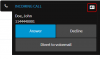
- If you use the 3CX Web Client, a button to open the contact record will also be shown, as follows:
upload_2018-11-21_16-19-5.png

You don't need to do any client side configuration. Every user in the company will have this working, as soon as they use the 3CX Web Client.
 
Hi,
we setup the Dynamics crm extension, but still don't see the icon in the web client?
Is there something we do wrong?

We are making internal calls only for testing, and set nr 997 on a business phone on a contact.
When calling from this number towards a webclient, the link icon does not display

Rgds
 
Please check the 3cxSystemService.log, that will give you some pointers.
 
Status
Not open for further replies.

Latest Posts

Forum statistics

Threads
112,323
Messages
591,896
Members
165,474
Latest member
costionofrei