Solved Email Server Setup

Status
Not open for further replies.

Joel Halter

Customer
Joined
Jan 23, 2017
Messages
3
Reaction score
2
Hello i just upgraded my Free version of 3cx ver 15 to 15.5 yesterday (11/08/2017) and now i can't change any of the Setting for the email server. The Setting are all Grayed out and wont allow me to change anything.
I have a payed license of 3cx ver.15 that i want to upgrade to 15.5 but i have to be able to get the email working. Am i missing something with licensing that wont allow me to use an external SMTP server??
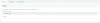
 

Attachments

  • 3cxSMTP.png
    3cxSMTP.png
    9.4 KB · Views: 168
Problem stay exist
Do you have access to the Internet from the Virtual machine where 3CX costs? You can check it like this, go to ssh the host 3CX (ip local) and run the command ping google.com
 
So if maintenance expires on PBX edition... the system will not send out emails for voicemail messages?
 
That is correct.
 
So, if we have a PRO licence, there wouldn't be any issues. Correct?

Considering this thread is about actual issues, technically the answer is no. Anyone can have issues, paid or otherwise :). But, as far as features go, if you have a commerical license (Standard/Pro/Enterprise) then you can use the 3CX provided SMTP server or specify the SMTP server. If you have the PBX edition with current maintenance then you can only use the 3CX provided SMTP server. If you have the PBX edition and the maintenance expires then you won't have any email capabilities. I'm assuming if you have a commercial license that expires you lose the ability to use the 3CX provided SMTP but you can still specify your own SMTP.
 
Hi all

Hoping someone can point me in the right direction.

I can't send welcome emails since updating to v15.5 SP2 (PBX edition).

Happy to use the 3CX SMTP server but when I click test all I get is "AuthenticationInvalidCredentials: 5.7.0 Denied"

Configured with dynamic IP and maintenance is active till 2018
 
@Mike Spindler

Make sure you are on the final release and then follow these steps:

If it was an upgraded version, then I suggest you clear cache, go to the mail server, Apply OK there and restart the machine. Maybe some settings were left there from the previous smtp.
 
@Mike Spindler

Make sure you are on the final release and then follow these steps:

Thanks for the reply

On the final release and tried what you suggest but i'm still the same error.

Guess next step would be a fresh install!
 
@Mike Spindler

Since you have a dynamic Public IP try going to Settings / Licence and click on the Refresh Licence Key Information button.
The restart services and try again.
 
@Mike Spindler

Since you have a dynamic Public IP try going to Settings / Licence and click on the Refresh Licence Key Information button.
The restart services and try again.

I've done as advised and still getting the error when clicking test.
 
Guys - this is an inbuilt mail server offered for free by 3CX. There is nothing to configure.
And if your firewall works like all the others in the world - As in the firewall respects the golden rule of networking that states:
"Anything Originating from the INSIDE is Trusted to go out" Then you should have no problems whatsoever.

But if you have this paranoid setting on your box which does the opposite ie. Check everything that goes out even if it is generated from a trusted source, then you contact support and we will give you the port number you need to allow..

nickybrg quick comment here. As a network admin, there ARE situations where it is required even desired to filter everything that is sent out. Even though it comes from a trusted source (inside the network to outside), situation where DLP is required means we need everything sent by email to be scanned before being really sent. Same goes if you want to control/mitigate spamming. Imagine your network is infected by a spamming virus (not desired, but can happen). If those infected computers can send whatever they want, the company will end up being blacklisted as a spammer. If you scan everything sent out, spam/virus/junk will be stopped at the firewall before being sent out.

Granted, I think most commercial licences will use a custom smtp server anyway, so it's a situation that will not apply here. My comment is just food for thought ;)

Regards
 
Well that sucks....why did they remove that feature for the free license? I am trying to provision some new smart phones we purchased, and all I get when hitting "test" with the 3cx SMTP Server option is this: AuthenticationInvalidCredentials: 5.7.0 Denied o_O
 
  • Like
Reactions: sutibun
@Mike Spindler

Please send me your FQDN in a p.m. so i can check if there is anything wrong on our side.

@Jamie Bennett

Have you tried any of the steps above to try and resolve your issue?
 
I also recently installed the latest SP and now have email problems. We've always used our local MS Exchange server for email (User VM and System notifications). It was working prior to the upgrade, now it is not. TEST of email results in red message 'A call to SSPI failed, see inner exception'. Switching to 3CX SMTP server works, but isn't an option.
 
I also recently installed the latest SP and now have email problems. We've always used our local MS Exchange server for email (User VM and System notifications). It was working prior to the upgrade, now it is not. TEST of email results in red message 'A call to SSPI failed, see inner exception'. Switching to 3CX SMTP server works, but isn't an option.

then you need to fix your mail server, sorry to say it so harsh but that's what is needed (meant in the politest way). SSP1 is an cert validation issue to your Exchange. The SMTP interface provides an cert which is not trusted or can not deal with TLS1.3. The Exchange will provide more information about the cause. SP2 has an increased pack of security and deprecated a bunch of SSL3 and TLS protocols / ciphers for PCI reasons.
 
I am getting this error:
  • AuthenticationInvalidCredentials: 5.7.0 Denied
Also how with this work with security measures like SPF and DKIM?
 
Last edited:
To make money to stay in business?
We have been testing and about to roll out to more users, I'm not sure if I will purchase their products if they are going to roll out updates without major email notifications. If they sent them I didn't get the memo, now I am stuck unable to send welcome messages and not sure if SPF or DKIM will pass once I am able to send messages.
 
Well that sucks....why did they remove that feature for the free license? I am trying to provision some new smart phones we purchased, and all I get when hitting "test" with the 3cx SMTP Server option is this: AuthenticationInvalidCredentials: 5.7.0 Denied o_O

Any luck with this?
 
Status
Not open for further replies.

Forum statistics

Threads
112,089
Messages
590,697
Members
165,056
Latest member
PANAMERICANAGLOBAL