Engage with your Website Visitors with Chat, Talk & Video

  • Thread starter Thread starter Constantinos Constantinou
  • Start date Start date
Status
Not open for further replies.
Another question if I may...

Does the chat client on the site honour office hours? My office hours are set to 8:00 - 18:00, it's now 23:40, and chat messages and phone calls are coming through. If I MANUALLY log out of the queue, I get the message saying no one is available, but I don't want to have to manually log into and out of my queue. Would it be possible to have the chat client check office hours THEN whether agents are available?
 
Hi @qmex

Your customer will use the chat window on the website which will send RTP to the PBX at a random port, and the PBX will use your default RTP ports to send voice back.

Your agent will use the 3CX WebClient which already uses the default RTP ports that you must already have open (9000-10999), and your HTTPS port (5001 usually) which you also must have already open.

So if your system is setup correctly for RTP already, you shouldn't need to make any adjustments for the RTP stream. Have you ran the firewall tester in your dashboard?
Thanks. That's the worst carse in the eyes of a security Freak, but it's working now.

Another Point is:
Why this plugin don't using Session-Cookies?
Or is anything else planned?
In this case, every refresh or click on a link will reset the call or the chat. Webpages that don't use ajax, iframe etc. it's a nice gimmick, but not useable for business...

Or how it's solvable?
 
Last edited:
Thanks Nick,

I don't feel the need to log chats company wide, simply those from the web chat client. Perhaps a future feature request so that we can follow up sales opportunities?
Certainly something to consider...!!! :)
 
  • Like
Reactions: craigreilly
Thanks. That's the worst carse in the eyes of a security Freak, but it's working now.

Another Point is:
Why this plugin don't using Session-Cookies?
Or is anything else planned?
In this case, every refresh or click on a link will reset the call or the chat. Webpages that don't use ajax, iframe etc. it's a nice gimmick, but not useable for business...

Or how it's solvable?
There is protection against abuse, but from what I know session cookies are on the roadmap, can't give you an ETA though...
 
Another question if I may...

Does the chat client on the site honour office hours? My office hours are set to 8:00 - 18:00, it's now 23:40, and chat messages and phone calls are coming through. If I MANUALLY log out of the queue, I get the message saying no one is available, but I don't want to have to manually log into and out of my queue. Would it be possible to have the chat client check office hours THEN whether agents are available?
I tried to reproduce this but the Contact Form comes up once all agents witch to Do not Disturb when Outside Office Horus hits. Could it be that the webpage was open from before the out of office hours time? Try refreshing the page after the out of office hours if you are replicating this as a test.
 
I tried to reproduce this but the Contact Form comes up once all agents witch to Do not Disturb when Outside Office Horus hits. Could it be that the webpage was open from before the out of office hours time? Try refreshing the page after the out of office hours if you are replicating this as a test.

I'm currently the only one assigned to the queue. It's outside office hours, and I'm in DND status. The Q light is blue. I've refreshed my website, and web client, and the chat tool is showing an agent available and message are coming through. If I click on the Call button, the call is coming through on my android and web clients. Is this the expected behaviour? It wouldn't be the first time I've missed a setting :) Thanks Nick.
 

Attachments

  • Screen Shot 2019-04-25 at 12.47.59 pm.png
    Screen Shot 2019-04-25 at 12.47.59 pm.png
    27.3 KB · Views: 5
Last edited by a moderator:
I'm currently the only one assigned to the queue. It's outside office hours, and I'm in DND status. The Q light is blue. I've refreshed my website, and web client, and the chat tool is showing an agent available and message are coming through. If I click on the Call button, the call is coming through on my android and web clients. Is this the expected behaviour? It wouldn't be the first time I've missed a setting :) Thanks Nick.
Hello @Justin Scott ,

Can you please verify that on your website, you are pointing to the correct queue Click2Talk URL?
The Live Chat and Talk should be configured to the queue where you are currently logged in but DND.
 
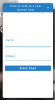
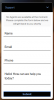
The only thing I can think is to make sure that you have the latest plugin version. There was a new update a few weeks ago. The version at the time of writing is 1.2.0 and the contact form when no agents are logged in should look like this:
10396
(ignore colors, I was playing around with them)

Then you might also want to check there isn't some mistake in the Queue settings. My suggestion, add another Extensions as a Queue Manager to the Queue, login and check that indeed the extension is logged out after hours. Also try calling the Queue to check, does it ring?
 
Status
Not open for further replies.

Latest Posts

Forum statistics

Threads
111,991
Messages
590,167
Members
164,929
Latest member
Cloudstar