Engage with your Website Visitors with Chat, Talk & Video

  • Thread starter Thread starter Constantinos Constantinou
  • Start date Start date
Status
Not open for further replies.
Good afternoon, I'm testing on my site the WordPress plugin v1.0.1 through PABX 3CX v16.0.1.77.
I configured it according to the procedure and the chat is working very well. But when I activate the call and video I do not succeed.
The call and the video come to start, in the WebRTC site requests access to the aodium and video, but it is not possible to listen or to see nothing.
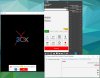
97989799
 
Good afternoon, I'm testing on my site the WordPress plugin v1.0.1 through PABX 3CX v16.0.1.77.
I configured it according to the procedure and the chat is working very well. But when I activate the call and video I do not succeed.
The call and the video come to start, in the WebRTC site requests access to the aodium and video, but it is not possible to listen or to see nothing.

View attachment 9798View attachment 9799
Hello @plugtools ,

I can see that your are testing the audio and video with the Windows Client. Can you please test the scenario with the Web Client?
In the meantime I will try to reproduce the scenario on my Windows Client setup.
 
Muito obrigado pela resposta rápida, como para o erro, isso é exatamente o mesmo no cliente web.9810
 
What browser are you using?
When you take screenshots take them like this
9811

So i can see whether you have rights for devices in order.
Your Local video is not even being rendered. Are you sure you have nothing using your camera? Is webclient and 3CX Client on the same machine?
Is your 3CX on the cloud (Public ip on the internet?) or you are using a test scenario internally and webclient and 3CX phone for windows are also internally?
 
The cameras are always released. The same machines can perform Webmeeting normally.
Network:
PABX - Google Cloud Platform - Lan1 (Fixed External IP) - Firewall on
MCU - USA East Coast (Miami) (us009-mia.3cx.net)
Wordpress - Google Cloud Platform - Lan2 (Fixed External IP) - https - Firewall on
Windows Client - Lan3
Web Client - 3G - 189.84.133.1359818
 
Verifique se o endereço IP especificado aqui está correto
Configurações> Rede> Selecionar Interface da Placa de Rede
e
Configurações> Rede> Configuração IP Externa

Pode me enviar um welcome e-mail via Private Message.
Eu posso me conectar daqui e checar o vídeo
Sua pré-visualização local não mostra nada. Esta é uma coisa local - nada a ver com network.
9819

não - a câmera nem sempre é liberada pelo navegador ou pelo sistema operacional.
 
O IP Externo estava configurado como dinâmico, setei o IP fixo e testei porem o problema persistiu, vou aguardar um tempo devido a uma possível demora por propagação de DNS.
Realmente a camera estava mostrando apenas a parede :).9833


No Celular também esta sendo enviado audio e video, porem nenhum lado transmite o audio e o video.9834
 
Last edited:
9855

Notei que mesmo com as portas do firewall liberadas no webserver não estava escutando as portas.
Adicionei a "Listner xxxx" no arquivo "/etc/apache2/ports.conf" do apache
sudo vi /etc/apache2/ports.conf
Ao reiniciar o apache começou a transmitir voz e video.
Estou a disposição para duvidas, agradeço muito ao nb que me apoiou muito nos testes.9856
 
Hello ! the main Problem with the Wordpress Plugin is, that is designed for USE on a single Page only - because you get in the bottom right the icon with the Chat Symbol.

But do you have any ideas how to solve this question:

On our website we have "people" working at xcon, one next to another with pictures... and contact details, i would like to have each one of this chat buttons placed next to every image every person.

so people who visit the website, can easily choose to which 3CX-User they want to start chatting, phoning, video-calling, and so on.....

any ideas how this is possible with the wordpress plugin ?
 
I think the way around that is to create a different page for each "Chat personal" , then assign a different Live Chat & Talk item to that page.
 
Hello ! the main Problem with the Wordpress Plugin is, that is designed for USE on a single Page only - because you get in the bottom right the icon with the Chat Symbol.

But do you have any ideas how to solve this question:

On our website we have "people" working at xcon, one next to another with pictures... and contact details, i would like to have each one of this chat buttons placed next to every image every person.

so people who visit the website, can easily choose to which 3CX-User they want to start chatting, phoning, video-calling, and so on.....

any ideas how this is possible with the wordpress plugin ?
Hello @XCON ,

The approach of @TBWD is indeed the correct one. Create multiple pages and assign to each and every one a different configuration of the 3CX Live Chat and Talk.
 
  • Like
Reactions: bravad
Hello @treynolen,
Thank you first of all for bringing forward those points for us.

Point 1: "No matter what you choose, it never asks for Name or Email (or both) on the chat window"

As you can see on our testing environment, based on WordPress configuration settings, the chat window adjusts accordingly. (ex. None/Name and Email scenarios). Please let us know if this is the cases.

View attachment 9576
View attachment 9577

Point 2: "Chats going to a queue go to all members of that queue even if they are logged out. It would be nice if it followed the queue behavior (like prioritized hunt, round robin, etc.), but having it go to just logged in agents is acceptable. Having it go to everyone even logged out agents is a real issue."

It is something that we are working on. It will be batched with some improvements also on our upcoming release.

Testing again with the RC1 version of 16 and with the updated plugin version 1.1.0, I'm still having the same results (although I do see new graphics in the chat window). I still cannot get the chat to authenticate with name or email. Every request is anonymous. I do see that in your testing environment you are able to produce a form asking for these, but I'm not able to with any configuration.
 
Hello @treynolen ,

Let's schedule a troubleshoot session by sending me a personal message with your availability for tomorrow or next week.
Have in mind that I am based in Cyprus.
Thank you
 
This is a great feature. I would love to see the ability to treat this like a trunk in 3CX with particular office hours instead of when the agents are in or out of the queues.
 
Is it possible to view chat history, and possibly export name and email details of sender?

EDIT: Found chat history in extension web client. Is it possible to save these to a central destination, so they can be audited, QCd, details exported etc?
 
Last edited:
Is it possible to view chat history, and possibly export name and email details of sender?
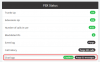
Chat Logging can be enabled from the Dashboard:
10372

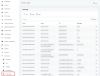
Once you have enabled them, you can see the Chat History here:
10373
 
Can some descripe the way of the RTP Audio Stream? Using the Plugin the Tunnel Port 5090 or need the plugin the RTP Audio Ports on a Public Address?
I don't know, why i never hear something. The Call starts ringing but no audio...
 
Can some descripe the way of the RTP Audio Stream? Using the Plugin the Tunnel Port 5090 or need the plugin the RTP Audio Ports on a Public Address?
I don't know, why i never hear something. The Call starts ringing but no audio...
Hi @qmex

Your customer will use the chat window on the website which will send RTP to the PBX at a random port, and the PBX will use your default RTP ports to send voice back.

Your agent will use the 3CX WebClient which already uses the default RTP ports that you must already have open (9000-10999), and your HTTPS port (5001 usually) which you also must have already open.

So if your system is setup correctly for RTP already, you shouldn't need to make any adjustments for the RTP stream. Have you ran the firewall tester in your dashboard?
 
Chat Logging can be enabled from the Dashboard:

Thanks Nick,

I don't feel the need to log chats company wide, simply those from the web chat client. Perhaps a future feature request so that we can follow up sales opportunities?
 
Last edited:
Status
Not open for further replies.

Latest Posts

Forum statistics

Threads
111,991
Messages
590,166
Members
164,929
Latest member
Cloudstar