Hello
@Severin Meyer,
I checked all your IPs and found nothing wrong on our side.
As first step: check your license status. If your maintenance is expired, WebMeeting feature won't work anymore.
If you recently updated your license, please restart Gateway Service on the PBX to force another status update for WebMeeting reactivation.
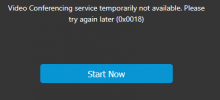
Error 0x0018 indicates that the PBX is unable to connect to the MCU server on port 443. The most common issue is connectivity restrictions on the PBX side.
From our records, all the non-working PBXs stopped contacting wmr.3cx.net on 2/7/2024 around 21:00 UTC. The two working ones are operating normally, and I see requests coming in.
Please verify that you can contact wmr.3cx.net from each PBX. You can do this easily by executing the following command on each PBX:
curl -v -4
https://wmr.3cx.net/webmeeting
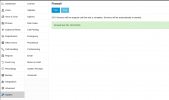
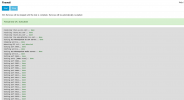
You should receive a 200 OK reply with some HTML. If you get a timeout here, you are blocking requests to wmr.3cx.net, and WebMeeting will not work for you. Please check your firewall configuration or verify the issue with your PBX server provider.
If you have IPv6 connectivity on your PBX, it could be an IPv6 network issue. To verify this, run the following command:
curl -v -6
https://wmr.3cx.net/webmeeting
If you get a timeout here, it means that your IPv6 connectivity has a problem. In this case, a quick solution is to disable the IPv6 network on your PBX to prevent IPv6 from being used, since it's failing and has priority over IPv4.