Solved FailOver Scripts

Status
Not open for further replies.

Cristian Ancines

Platinum Partner
Advanced Certified
Joined
Jul 2, 2019
Messages
57
Reaction score
12
Hi community

For several days I have tried to execute some scripts when my passive failover takes control,

but I have not been able to execute any.

I have followed the link: https://www.3cx.com/community/threads/failoverscripts-in-linux.57407/#post-240011
without a successful result.


out of curiosity I created a small script to find the user who runs this script, that I share with you:

#!/bin/bash
a=date +"%d/%m/%Y"
b=whoami
c=pwd
d="le date est: $a, le nom dutilisateur est: $b, le dossier est :$c"
echo $d >> ~/utilisateurInfopourScript.txt

but not even that works.

I think he hasn't executed, because I search for the output file inside my entire linux machine and it doesn't exist.

Do you have any ideas?

thank you
 
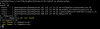
I capture all the information (commands and users) that are executed at the time of fail over, in case it is helpful.
 

Attachments

hi Cristian is the script executable?

The user phonesystem needs to have the necessary rights
 
I think your 2nd sh-script will need execute rights.
 
There are two options to run scripts, before and after activating the failover.

If I indicate that a script is executed before the failover is activated, the script is not executed also the failover is not activated, I mean that the passive server does not take control.

If I leave the first option blank, and run the script after activating the failover, the passive server takes control in less than 2 minutes, but the script does not run.

I really don't know what I'm doing wrong.
 
I test only with the script Register.sh
 
#!/bin/bash
a=date +"%d/%m/%Y"
b=whoami
c=pwd
d="le date est: $a, le nom dutilisateur est: $b, le dossier est :$c"
echo $d >> ~/utilisateurInfopourScript.txt
 
I had an idea and I tried to run the script from a command line.

First I switch to the user "phonesystem" and then run the script, but it doesn't allow it.

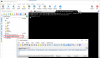
I send you a picture of my result.


11706


any ideas?
 
Hi Cristian,

I think this is more of a Linux question and the way you invoke the script.

Try googling "Shell script throws a not found error when run from a sh file. But if entered manually the commands work"
 
  • Like
Reactions: Cristian Ancines
You are absolutely right John,

I checked the Linux documentation and found the error, really the problem was in my script and not in 3CX.

Apparently my script had invalid characters to run from BASH, is the carriage return character.

For remove the spurious CR characters I run the following command:

sed -i -e 's/\r$//' Registre.sh

11786

I have already tried all my scripts and they work correctly, I hope that the feedback can serve other users.

regards
 
Glad to hear it was resolved and thanks for updating the thread with your solution
 
Status
Not open for further replies.

Forum statistics

Threads
111,933
Messages
589,809
Members
164,808
Latest member
jsbjsb