- Joined
- Sep 27, 2023
- Messages
- 56
- Reaction score
- 9
Im having trouble setting up a fax ATA
I have a Grandstream HT812
V18 PBX
This is a cloud hosted system, and there is a Router phone used as an SBC on site.
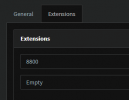
I have created a Fax Extension 8800, added the HT812 to the FXS/DECT section, then assigned the fax extension to it
I've updated the firmware and uploaded the config file as directed here: https://www.3cx.com/voip-gateways/grandstream-ht-fxs/
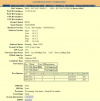
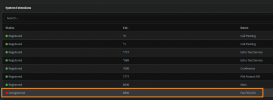
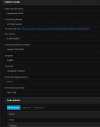
It's still coming up not registered in the HT812 GUI, and does not appear under Phones like I believe it's supposed to:
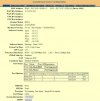
Device configuration:
I have a Grandstream HT812
V18 PBX
This is a cloud hosted system, and there is a Router phone used as an SBC on site.
I have created a Fax Extension 8800, added the HT812 to the FXS/DECT section, then assigned the fax extension to it
I've updated the firmware and uploaded the config file as directed here: https://www.3cx.com/voip-gateways/grandstream-ht-fxs/
It's still coming up not registered in the HT812 GUI, and does not appear under Phones like I believe it's supposed to:
Device configuration: