Find Extensions That Have Never Logged In?

Status
Not open for further replies.

FN-GM

Premier Customer
Joined
Dec 14, 2020
Messages
38
Reaction score
8
Hello,

I am wondering if there is a way to find extensions that have never logged in please?

Thanks
 
Hi @FN-GM,

Can we clarify if we mean extensions logging in to queues, or logging in to the Web Client?

For queues, you can run the Agent Login History report and select the queue.

For Web Client, there is no way to check this built in to the system. I did find that if you run an Extension Statistics Report and date it back a fair amount (I went back 1 year), you'll see extensions that have little or no activity on them in terms of calls. This may help you narrow in on extensions that never have logged in or have stopped logging in.
 
Hello,

We are rollout out the system at the moment. We have created extensions for all staff. There are some that have never been used at all (staff not doing anything about the welcome emails etc). We are looking to identify these users so we can nudge and/or assist them to use their extension.

Thanks
 
In this case, there is no specific report you can run that will localize the extensions that aren't opening the emails and logging in.

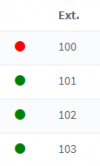
There are two places you could see if users are registered. Check the Management Console under Extensions to see who has scanned a QR code or logged in to the Web Client.

1615970923865.png

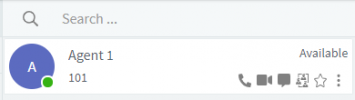
Another way would be to ensure that all extensions have the option "Show presence to group members" enabled (default) and check the presence of the extensions who have logged in using the Web Client >> People >> All Groups section.

1615970893611.png
 
Thanks. However these are not going to produce accurate results. People who have used their extension but are offline (such as people not working that particular shift, out of service etc) will also be displayed.
 
You're correct, it will never be accurate as closing the web client will remove their presence, however I thought you were setting this up at the minute and therefore you would be able to see who logged in within a XX amount of time window. As I mentioned previously there is no native way to do this.

The idea with the reports was to give you a hint at best, but there won't be any accurate result as if the extension is a chat only extension, it'll display 0 calls in the report too.
 
  • Like
Reactions: Evolute IT
Thanks anyway :)
 
It may help: We send onboarding messages to our customers to teach them how to set up/use their voicemail.

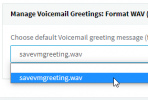
If they followed our instruction, you will see a greeting message in the Voicemail tab of the user extension:
1616014410891.png

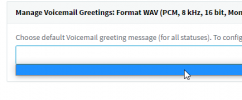
If not, you will see this
1616014316226.png

Could be a clue.
 
The only other method I can think of, and this won't really work after the fact, would be to either route your emails out via service that rewrites URLs through a link tracker, or customize the welcome email with a link tracking embedded URL for the web client link. That would at least give you open/click notifications.

I suppose you could also try parsing the nginx log if you have some correlation of users to IP addresses.
 
  • Like
Reactions: Evolute IT
Status
Not open for further replies.