Firewall Check failed - Mapping does not match - Barracuda Networks

Status
Not open for further replies.

voip-toni

Free User
Joined
Nov 13, 2020
Messages
56
Reaction score
15
Hello,

I run 3CX 16.0.655 on premise on debian linux. The server is behind perimeter firewall of Barracuda Networks.
The Firewall check fails for reasons I don't know
IOS App/Android App work fine.
Admin Works fine.
Webclients have no AUDIO calling *777 or any other extension.
Calls from to a test sip trunk work fine!
Anyone can help with the FW config? ANY help is appriciated

OUT Rule


In Rule Admin OK


In Rule Tunnel OK


In Rule VOIP NOT OK


Service Objects


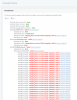
Firewall Check
1605276593318.png
 
Last edited by a moderator:
After Adding TCP 5060 and TCP 5061
Webclient Audio works
But FW check still shows error "mapping does not match"
 
Hi

Mapping does not match = it means that you are not forwarding those ports as full cone NAT.

The ports are open yes, but the fire wall remaps them to something random.

So you will have to read up a bit more on your specific firewall. Go on Google and search for Barracuda plus 1:1 NAT or Full Cone NAT or Static NAT. If the device does not allow this then there will be no way to avoid the audio issues
 
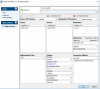
1605623083932.png

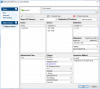
1605623164421.png

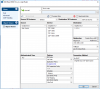
1605623266950.png

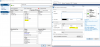
1605623615457.png
Within the OUTGOING rule you need to check "use same port"
STUN UDP 3478 needs to be allowed to
 
1605623741674.png

FW check is OK now :D
 
That's great news! Is the Webclient also working ok now?
 
I have AUDIO in Webclient Yes
I have AUDIO on IOS/Android APP Yes
Now I have the following situation. I am sitting in Home office, I have one android phone one ios phone and the webclient. If i have a call on one device and I dial on another device I get the error BUSY

Before I checked the "Same Port" checkbox on the firewall I did NOT have that problem.
I was able to call with multiple devices - but the FW checker told me the mapping does not match

What to do in that situation?
 
I thought in post #5 you said everything passed no?

Unfortunately I cannot help you with your specific firewall.

Did you look up your firewall modem and how to do full cone NAT?

If it does not support it then you will not be able to use it with 3CX
 
passed NO - but it was working!
 
I think you need to confirm what "same port" does exactly.

Then disable it and enable it a few times, to make sure its not just coincidence or correlation rather that you can't make multiple calls.
 
Is it possible to call to *777 from multiple devices at the same time?
Maybe that was my "error"
 
oh no you cannot, *777 is only 1 user per time so if this is what you mean that you cant make multiple calls then don't worry
 
I have been wondering why I don't get Emails from 3CX
2528 needs to be added to OUT rule!
 
Status
Not open for further replies.

Latest Posts

Forum statistics

Threads
111,990
Messages
590,164
Members
164,927
Latest member
tohoken1