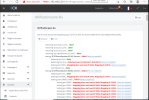
firewall check mapping does not match

Status
Not open for further replies.

LordMax

New User
Joined
Sep 20, 2022
Messages
4
Reaction score
0
Besoin d'aide
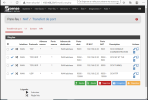
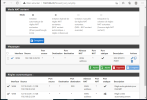
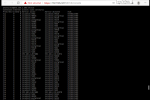
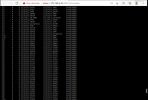
c'est ma première installation de 3CX mais depuis des jours je suis bloqué à ce niveau, j'ai configuré le pare-feu comme demandé par 3CX toujours la même erreur même après plusieurs resets et reconfigurations
 

Attachments

  • Capture d’écran (27).png
    Capture d’écran (27).png
    110 KB · Views: 14
  • Capture d’écran (28).png
    Capture d’écran (28).png
    79.6 KB · Views: 15
  • Capture d’écran (29).png
    Capture d’écran (29).png
    86.4 KB · Views: 14
  • Capture d’écran (30).png
    Capture d’écran (30).png
    100.1 KB · Views: 10
  • Capture d’écran (31).png
    Capture d’écran (31).png
    102.4 KB · Views: 14
Have you rebooted the pfsense firewall after making the changes ?
 
Last edited:
Your firewall check is failing on the SIP ALG test so you need to fix that first.

Does you pfSense device connect to another modem/router? If it does, you need to make sure that SIP ALG is turned off on that device, too.

e.g.: Internet/ISP <==> Modem/Router <==> pfSense device
 
Your firewall check is failing on the SIP ALG test so you need to fix that first.

Does you pfSense device connect to another modem/router? If it does, you need to make sure that SIP ALG is turned off on that device, too.

e.g.: Internet/ISP <==> Modem/Router <==> pfSense device
Hello Marconi and thank you for responding.
Yes, my firewall connects to a wifi modem (Acatel mw40) after your message I went to check and there is no SIP AGL option so I have no way of knowing if it is active or not
 
The Alcatel MW40 is a Mobile Internet Wi-Fi hotspot so, to the best of my knowledge, does not have the SIP ALG setting. The problem is that your ISP probably does have SIP ALG turned on for mobile Internet customers. Even worse, your ISP is likely to be using CG-NAT as well and this will cause all sorts of problems with your 3CX instance.

The simplest solution would be to find a cheap VPS (Virtual Private Server) provider and run your 3CX instance in the cloud then use a 3CX SBC at home. This works because the SBC will create a connection to your 3CX through (almost) any Internet connection and get around the problems with SIP ALG and CG-NAT.

Your other option is to talk to your ISP about getting a fixed IP address for your mobile Internet connection with SIP ALG and CG-NAT turned off (by them). Not all providers will do this and it may cost you more than getting a VPS instance.
 
L'Alcatel MW40 est un hotspot Wi-Fi Internet mobile donc, à ma connaissance, n'a pas le paramètre SIP ALG. Le problème est que votre FAI a probablement activé SIP ALG pour les clients Internet mobiles. Pire encore, votre FAI est susceptible d'utiliser également CG-NAT et cela causera toutes sortes de problèmes avec votre instance 3CX.

La solution la plus simple serait de trouver un fournisseur de VPS (Virtual Private Server) bon marché et d'exécuter votre instance 3CX dans le cloud, puis d'utiliser un SBC 3CX à la maison. Cela fonctionne car le SBC créera une connexion à votre 3CX via (presque) n'importe quelle connexion Internet et contournera les problèmes avec SIP ALG et CG-NAT.

Votre autre option est de parler à votre FAI de l'obtention d'une adresse IP fixe pour votre connexion Internet mobile avec SIP ALG et CG-NAT désactivés (par eux). Tous les fournisseurs ne le feront pas et cela peut vous coûter plus cher que d'obtenir une instance VPS.
okay thank you
 
Status
Not open for further replies.

Forum statistics

Threads
111,974
Messages
590,081
Members
164,899
Latest member
mazet