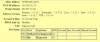
Firewall check v15 issue

Status
Not open for further replies.
Interesting points about the firewalls, here.

To recap, I had double-NATing in my network with two routers. The suggestion was that having two routers could cause a problem.
Last night I simplified my setup by removing one of the routers which has made zero difference.

- The firewall test still fails with the "unmatched mapping" messages :(
- The 3CX app on my iPhone still connects to the PBX, even when I am not on my own network which tells me that the required ports are reaching the PBX :)

So, I agree with @eagle2, that the firewall is reporting false errors. However, I'm being very cautious here because I'm new to all of this.

I'm pretty happy with the way that I've got the PBX set up but my main problem remains - getting my Grandstream HT-503 to talk to the PBX.
I appreciate that it isn't a "supported" device but it does seem extraordinarily difficult to get the thing up and running.
For one fleeting moment I did see "Registered" in the HT-503's status screen so I thought I was onto something but since then all I see is a "Hook" value of "Idle" and "Registration" of "Not Registered".
I'm considering one of the supported devices but they are that much more expensive (although I would invest if I was 100% sure that they'd be plug and play). They also seem to do much more than I need. e.g. they have multiple FXO ports and I need just the one.
 
Hello there,

If you want to check if the firewall checker gives you falls positives or not the best way to do this is by using wireshark.
Run a capture along side the firewall checker and compare the results.
here is an article to help you achieve this
http://www.3cx.com/blog/docs/firewall-voip-rules-check/
 
Hello there,

If you want to check if the firewall checker gives you falls positives or not the best way to do this is by using wireshark.
Run a capture along side the firewall checker and compare the results.
here is an article to help you achieve this
http://www.3cx.com/blog/docs/firewall-voip-rules-check/

Hi

Thanks for the link - I'll check it out.
I attempted to check the network with Wireshark last week but without success - I need to have another go at it.
I think my principal problem was getting it to see the packets. I've got a Netgear switch with port mirroring which I've never used before.
I mirrored the port that the HT-503 was on onto the port that the PC running Wireshark was plugged into but I couldn't see any packets.
I made sure that the NIC was in promiscuous mode (at least as far as Wireshark believed it to be).
More work for me to do here, I think!
 
the "unmatched mapping" message definitely means that your router (any of them) maps your internal port to its' external port that has a different number. to have RTP streams coming from outside of your LAN you need to have those ports matched. this does not affect the ability of your phones to register on the PBX.

you need to catch a stun response coming to the port which test fails. if it shows a different port number then it is the reason. in that case you need to configure your router to reserve a specified external ports range and match them to your PBX RTP port range.
 
the "unmatched mapping" message definitely means that your router (any of them) maps your internal port to its' external port that has a different number. to have RTP streams coming from outside of your LAN you need to have those ports matched. this does not affect the ability of your phones to register on the PBX.

you need to catch a stun response coming to the port which test fails. if it shows a different port number then it is the reason. in that case you need to configure your router to reserve a specified external ports range and match them to your PBX RTP port range.

I'm actually not expecting to make or receive external VoIP calls. External calls will be via the PSTN.
Does this mean that I shouldn't worry about the failing firewall tests?
 
I made sure that the NIC was in promiscuous mode (at least as far as Wireshark believed it to be).
https://www.3cx.com/community/threads/using-wireshark-in-3cx-linux.46549/

Untick
“Capture Traffic in promiscuous mode”, and leave all the other settings as default. Click the “Start” button to start the network capture.
The 3CX app on my iPhone still connects to the PBX, even when I am not on my own network which tells me that the required ports are reaching the PBX
Makes a one minute call to the echo test System Extension (*777) and analyses if RTP packets are received.
 
I'm actually not expecting to make or receive external VoIP calls. External calls will be via the PSTN.
Does this mean that I shouldn't worry about the failing firewall tests?
in that case you shouldn't worry about anything firewall checker reports.
 
https://www.3cx.com/community/threads/using-wireshark-in-3cx-linux.46549/

Untick
“Capture Traffic in promiscuous mode”, and leave all the other settings as default. Click the “Start” button to start the network capture.

Makes a one minute call to the echo test System Extension (*777) and analyses if RTP packets are received.

I'll try turning off promiscuous mode. Whilst my PBX is running in Debian, I was using Wireshark on a PC.
I presume that this doesn't change your advice re. promiscuous mode.
 
Install it on PBX instead? XQuartz?
 
To install and run wireshark on Linux you can use the following
  1. apt-get install tshark
    mkdir pcap
    chmod +7777 pcap
    tshark -i 1 -w pcap/capture.pcap
  2. Replicate your issue.
  3. Stop capture pressing Ctrl+C
 
Thanks for the advice - I have some success!

Despite me being 100% sure that the password in the SIP Trunks section of 3CX is what I typed into the HT-503 config, it seems that this is why it wouldn't register.

I've now typed my own password into 3CX and the same into the HT-503 and the HT-503 now says that it has registered.

However, the "Hook" column in the status screen says "Idle" rather than, for example, "On Hook". I need to check this out.

HT-503.jpg

Perhaps connected with this is the fact that the SIP Trunk page in 3CX doesn't say anything about the registration.


SIP-Trunk.jpg

Any thoughts on this, please?
 
As I recall, when from using GS devices a few years ago, the IDLE state for FXO is equivalent to On Hook for the FXS, in other words, not active.
 
When PSTN line connected to the LINE port of the HT503, the status page should show as below (Figure 1-1).
The FXO port will show “Idle” meaning the line is ready to calls.

  • How To Do It?
  • GS SIP Device Provisioning Guide
In these situations, an advanced user may create a custom configuration to create a working set of parameters for his Provider or Gateway.
https://www.3cx.com/blog/docs/voip-provider-configuration/
Perhaps connected with this is the fact that the SIP Trunk page in 3CX doesn't say anything about the registration.
Maybe under Phones as unprovisioned?
 
Last edited:
Status
Not open for further replies.

Forum statistics

Threads
111,852
Messages
589,390
Members
164,691
Latest member
Daz1964