Solved Follow up to "A second DID to FAX server with alternative email destination"

Status
Not open for further replies.

ClydeP

Bronze Partner
Basic Certified
Joined
Oct 17, 2019
Messages
18
Reaction score
6
v16, adding additional DID fax-to-email-pdf, followed instructions in previous closed thread (listed in subject) to create an extension with an email address, and then in the inbound rules set option to "forward to fax". The setup went well, but I must be missing something, as there is no device on the extension, all calls to the did are going to voicemail (or receive "no voicemail configured" when I disable email for the account). What step am I missing? TIA
 
Hi Clyde,

Our built in FAX server extension only supports a single destination. But the method outlined in that post should work because the FAX server can handle more than just that one extension.

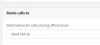
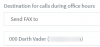
Create a DID inbound rule, you select the option Send FAX to, then pick an extension with an email address. If the FAX is received there then the email will go out.
 
  • Like
Reactions: craigreilly
I followed the same instructions, as reported in the previous post, but in my instance, the system sees the extension as no device connected and automatically attempts to send to voicemail (whether enabled for extension or not). Yes, the extension has valid email address. TIA
 
So your inbound rule looks like this:

12772

And you have it set for both during and outside office hours and it's hitting voicemail?
 
Corrected for after hours. Now, it is a ring busy, and now I get 8 email messages that I missed a call.
 
So all I can think of is that your inbound routing isn't right. Turn on verbose logging and confirm the number you've assigned is actually routing properly. You should see something like this:

12774

I have an extension (900) setup for faxes and you can see the routing to 900 as the extension chosen in the 'Send fax to' destination and then internally it connects to 888 as the fax server.
 
Call the DID after you set it up properly to "Send FAX to".
12780
Go to the active calls in the management console.

You should see call arriving, and hitting your 888 extension which is the fax server.
12779
If this is not the case, then there is something wrong with the routing as @cobaltit said.
 
RSEOLVED I did find an error in one of my inbound rules that was not going to the correct location, corrected it. Still had issues, so decided to test as a voice call first, added to Android 3CX client, after some corrections could send/receive voice calls. Changed back to faxing, then it worked. It seems as though the system didnt recognize the extension until after I signed on with mobile client and made calls; once that was done, it was satisfied.

Thank you all who took time to read and make suggestions, your time is appreciated.
 
Hi Clyde,

Glad to hear it was resolved
 
Status
Not open for further replies.

Forum statistics

Threads
111,934
Messages
589,818
Members
164,811
Latest member
aurorasigntrtechitnet