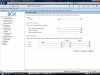
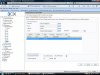
hello please find the log below i have also included screen prints for how the forward rule is set up and the call out rule. really want to get this sorted so that i have more faith for when i buy the complete version
13:48:08.437 [CM503007]: Call(60): Device joined: sip:
[email protected]:40600;rinstance=485ec48296e856de
13:48:08.433 [CM503007]: Call(60): Device joined: sip:
[email protected]
13:48:08.427 [CM505001]: Ext.121: Device info: Device Identified: [Man: 3CX Ltd.;Mod: 3CX IVR;Rev: General] Capabilities:[reinvite, replaces, able-no-sdp, recvonly] UserAgent: [3CX IVR] Transport: [sip:127.0.0.1:5060]
13:48:08.424 [CM503002]: Call(60): Alerting sip:
[email protected]:40600;rinstance=485ec48296e856de
13:48:08.132 [CM504001]: Ext.100: new contact is registered. Contact(s): [sip:
[email protected]:5060;transport=udp/100]
13:48:07.897 [CM503024]: Call(60): Calling Ext:Ext.121@[Dev:sip:
[email protected]:40600;rinstance=485ec48296e856de]
13:48:07.864 [CM503005]: Call(60): Forwarding: Ext:Ext.121@[Dev:sip:
[email protected]:40600;rinstance=485ec48296e856de]
13:48:00.539 [CM504001]: Ext.107: new contact is registered. Contact(s): [sip:
[email protected]:5060;transport=udp/107]
13:47:38.915 [CM504001]: Ext.104: new contact is registered. Contact(s): [sip:
[email protected]:5060;transport=udp/104]
13:47:35.031 [CM504001]: Ext.106: new contact is registered. Contact(s): [sip:
[email protected]:5060;transport=udp/106]
13:47:35.026 [CM504001]: Ext.102: new contact is registered. Contact(s): [sip:
[email protected]:5060;transport=udp/102]
13:47:30.844 [CM504001]: Ext.103: new contact is registered. Contact(s): [sip:
[email protected]:5060;transport=udp/103]
13:47:28.110 [CM505001]: Ext.103: Device info: Device Identified: [Man: Cisco;Mod: 7940;Rev: General] Capabilities:[reinvite, replaces, unable-no-sdp, no-recvonly] UserAgent: [Cisco-CP7940G/8.0] Transport: [sip:192.168.1.105:5060]
13:47:28.109 [CM503002]: Call(60): Alerting sip:
[email protected]:5060;transport=udp
13:47:28.098 [CM505001]: Ext.100: Device info: Device Identified: [Man: Cisco;Mod: 7940;Rev: General] Capabilities:[reinvite, replaces, unable-no-sdp, no-recvonly] UserAgent: [Cisco-CP7940G/8.0] Transport: [sip:192.168.1.105:5060]
13:47:28.098 [CM503002]: Call(60): Alerting sip:
[email protected]:5060;transport=udp
13:47:28.092 [CM505001]: Ext.104: Device info: Device Identified: [Man: Cisco;Mod: 7940;Rev: General] Capabilities:[reinvite, replaces, unable-no-sdp, no-recvonly] UserAgent: [Cisco-CP7940G/8.0] Transport: [sip:192.168.1.105:5060]
13:47:28.092 [CM503002]: Call(60): Alerting sip:
[email protected]:5060;transport=udp
13:47:28.085 [CM505001]: Ext.102: Device info: Device Identified: [Man: Cisco;Mod: 7940;Rev: General] Capabilities:[reinvite, replaces, unable-no-sdp, no-recvonly] UserAgent: [Cisco-CP7940G/8.0] Transport: [sip:192.168.1.105:5060]
13:47:28.084 [CM503002]: Call(60): Alerting sip:
[email protected]:5060;transport=udp
13:47:28.075 [CM505001]: Ext.101: Device info: Device Identified: [Man: Cisco;Mod: 7940;Rev: General] Capabilities:[reinvite, replaces, unable-no-sdp, no-recvonly] UserAgent: [Cisco-CP7940G/8.0] Transport: [sip:192.168.1.105:5060]
13:47:28.073 [CM503002]: Call(60): Alerting sip:
[email protected]:5060;transport=udp
13:47:27.824 [CM503024]: Call(60): Calling RingAll800:100Ext.100120Ext.120101Ext.101102Ext.102103Ext.103104Ext.104105Ext.105@[Dev:sip:
[email protected]:5060;transport=udp]
13:47:27.818 [CM503024]: Call(60): Calling RingAll800:100Ext.100120Ext.120101Ext.101102Ext.102103Ext.103104Ext.104105Ext.105@[Dev:sip:
[email protected]:5060;transport=udp]
13:47:27.812 [CM503024]: Call(60): Calling RingAll800:100Ext.100120Ext.120101Ext.101102Ext.102103Ext.103104Ext.104105Ext.105@[Dev:sip:
[email protected]:5060;transport=udp]
13:47:27.806 [CM503024]: Call(60): Calling RingAll800:100Ext.100120Ext.120101Ext.101102Ext.102103Ext.103104Ext.104105Ext.105@[Dev:sip:
[email protected]:5060;transport=udp]
13:47:27.799 [CM503024]: Call(60): Calling RingAll800:100Ext.100120Ext.120101Ext.101102Ext.102103Ext.103104Ext.104105Ext.105@[Dev:sip:
[email protected]:5060;transport=udp]
13:47:27.791 [CM503004]: Call(60): Route 1: RingAll800:100Ext.100120Ext.120101Ext.101102Ext.102103Ext.103104Ext.104105Ext.105@[Dev:sip:
[email protected]:5060;transport=udp, Dev:sip:
[email protected]:5060;transport=udp, Dev:sip:
[email protected]:5060;transport=udp, Dev:sip:
[email protected]:5060;transport=udp, Dev:sip:
[email protected]:5060;transport=udp]
13:47:27.787 [CM503010]: Making route(s) to <sip:
[email protected]:5060>
13:47:27.783 [CM505003]: Provider:[sipgate] Device info: Device Not Identified: User Agent not matched; Capabilities:[reinvite, replaces, able-no-sdp, recvonly] UserAgent: [] Transport: [sip:192.168.1.105:5060]
13:47:27.779 [CM503001]: Call(60): Incoming call from 07920793656@(Ln.10001@sipgate) to <sip:
[email protected]:5060>
13:47:27.496 [MS201000] Use STUN server 'stun2.3cx.com:3478'
13:47:27.459 [MS101005] STUN request failed for ports 9026,9027 on STUN server 'stun1.3cx.com:3478'
13:47:24.232 [CM503012]: Inbound out-of-office hours rule (unnamed) for 10001 forwards to DN:800