Free “Hosted by 3CX” Solution Out Now with V16, Update 6

  • Thread starter Thread starter Constantinos Constantinou
  • Start date Start date
Hello @Frederick Marcoux ,

It seems that this is an old blog post that based on users comments it is not applicable any more.

@bodleid are you aware if those customers have the ipPhone attribute populated with values?
 
i have a test build on a raspberry pi 4 that is not showing the update, is there a bash command i can run to force the update?
I also had a 2nd test system on a pi 4 and that one received the update fine.

i have also tried doing it from ssh with sudo apt-get install 3cxpbx but it say's it's on the latest version?

pi@3cxServer:~ $ sudo apt-get install 3cxpbx
Reading package lists... Done
Building dependency tree
Reading state information... Done
3cxpbx is already the newest version (16.0.6.639).
The following package was automatically installed and is no longer required:
rpi-eeprom-images
Use 'sudo apt autoremove' to remove it.
0 upgraded, 0 newly installed, 0 to remove and 21 not upgraded.


is there anything else i can try?
 
Last edited:
i have also tried doing it from ssh with sudo apt-get install 3cxpbx but it say's it's on the latest version?

pi@3cxServer:~ $ sudo apt-get install 3cxpbx
Reading package lists... Done
Building dependency tree
Reading state information... Done
3cxpbx is already the newest version (16.0.6.639).
The following package was automatically installed and is no longer required:
rpi-eeprom-images
Use 'sudo apt autoremove' to remove it.
0 upgraded, 0 newly installed, 0 to remove and 21 not upgraded.


is there anything else i can try?
Can't help you, but to say my test build with Raspberry Pi 4 has been updated automatically this night. All green, even the services that used to show as red is now green.
 
have also tried doing it from ssh with sudo apt-get install 3cxpbx but it say's it's on the latest version?
Try running:
Code:
apt update
then
Code:
apt policy 3cxpbx
What versions do you see here? Copy-paste the output here.
 
Hello @JonnyM and thank you for your suggestion.

We can give it a check the possibility of mapping the extension number to 'ipPhone'.

AAD object ID and User Principal name are the ones that are used already the primary keys for the users that are provisioned on the PBX as part of the Office 365 User Synchronization.

I can confirm we use ipPhone as our "mapping". I can also confirmed when I used to work at a large FI, they also used IpPhone as their mapping as well.
 
Try running:
Code:
apt update
then
Code:
apt policy 3cxpbx
What versions do you see here? Copy-paste the output here.
pi@3cxServer:~ $ apt policy 3cxpbx
3cxpbx:
Installed: 16.0.6.639
Candidate: 16.0.6.639
Version table:
*** 16.0.6.639 100
1 http://downloads-global.3cx.com/downloads/debian buster-testing/main armhf Packages
100 /var/lib/dpkg/status
16.0.6.639 1
1 http://downloads-global.3cx.com/downloads/debian stretch-testing/mai n armhf Packages
16.0.6.636 1
1 http://downloads-global.3cx.com/downloads/debian buster-testing/main armhf Packages
16.0.6.636 1
1 http://downloads-global.3cx.com/downloads/debian stretch-testing/mai n armhf Packages
16.0.6.584 1
1 http://downloads-global.3cx.com/downloads/debian buster-testing/main armhf Packages
16.0.6.584 1
1 http://downloads-global.3cx.com/downloads/debian stretch-testing/mai n armhf Packages
16.0.5.610 1
1 http://downloads-global.3cx.com/downloads/debian stretch-testing/mai n armhf Packages
16.0.5.553 1
1 http://downloads-global.3cx.com/downloads/debian stretch-testing/mai n armhf Packages
16.0.5.507 1
1 http://downloads-global.3cx.com/downloads/debian stretch-testing/mai n armhf Packages
16.0.5.454 1
1 http://downloads-global.3cx.com/downloads/debian stretch-testing/mai n armhf Packages
16.0.5.389 1
1 http://downloads-global.3cx.com/downloads/debian stretch-testing/mai n armhf Packages
16.0.4.485 1
1 http://downloads-global.3cx.com/downloads/debian stretch-testing/mai n armhf Packages
16.0.4.461 1
1 http://downloads-global.3cx.com/downloads/debian stretch-testing/mai n armhf Packages
16.0.3.671 1
1 http://downloads-global.3cx.com/downloads/debian stretch-testing/mai n armhf Packages
16.0.3.525 1
1 http://downloads-global.3cx.com/downloads/debian stretch-testing/mai n armhf Packages
16.0.2.900 1
1 http://downloads-global.3cx.com/downloads/debian stretch-testing/mai n armhf Packages
16.0.1.269 1
1 http://downloads-global.3cx.com/downloads/debian stretch-testing/mai n armhf Packages
16.0.0.1570 1
1 http://downloads-global.3cx.com/downloads/debian stretch-testing/mai n armhf Packages
16.0.0.1375 1
1 http://downloads-global.3cx.com/downloads/debian stretch-testing/mai n armhf Packages
 
pi@3cxServer:~ $ apt policy 3cxpbx
3cxpbx:
Installed: 16.0.6.639
Candidate: 16.0.6.639
Version table:
*** 16.0.6.639 100
1 http://downloads-global.3cx.com/downloads/debian buster-testing/main armhf Packages
100 /var/lib/dpkg/status
16.0.6.639 1
1 http://downloads-global.3cx.com/downloads/debian stretch-testing/mai n armhf Packages
16.0.6.636 1
1 http://downloads-global.3cx.com/downloads/debian buster-testing/main armhf Packages
16.0.6.636 1
1 http://downloads-global.3cx.com/downloads/debian stretch-testing/mai n armhf Packages
16.0.6.584 1
1 http://downloads-global.3cx.com/downloads/debian buster-testing/main armhf Packages
16.0.6.584 1
1 http://downloads-global.3cx.com/downloads/debian stretch-testing/mai n armhf Packages
16.0.5.610 1
1 http://downloads-global.3cx.com/downloads/debian stretch-testing/mai n armhf Packages
16.0.5.553 1
1 http://downloads-global.3cx.com/downloads/debian stretch-testing/mai n armhf Packages
16.0.5.507 1
1 http://downloads-global.3cx.com/downloads/debian stretch-testing/mai n armhf Packages
16.0.5.454 1
1 http://downloads-global.3cx.com/downloads/debian stretch-testing/mai n armhf Packages
16.0.5.389 1
1 http://downloads-global.3cx.com/downloads/debian stretch-testing/mai n armhf Packages
16.0.4.485 1
1 http://downloads-global.3cx.com/downloads/debian stretch-testing/mai n armhf Packages
16.0.4.461 1
1 http://downloads-global.3cx.com/downloads/debian stretch-testing/mai n armhf Packages
16.0.3.671 1
1 http://downloads-global.3cx.com/downloads/debian stretch-testing/mai n armhf Packages
16.0.3.525 1
1 http://downloads-global.3cx.com/downloads/debian stretch-testing/mai n armhf Packages
16.0.2.900 1
1 http://downloads-global.3cx.com/downloads/debian stretch-testing/mai n armhf Packages
16.0.1.269 1
1 http://downloads-global.3cx.com/downloads/debian stretch-testing/mai n armhf Packages
16.0.0.1570 1
1 http://downloads-global.3cx.com/downloads/debian stretch-testing/mai n armhf Packages
16.0.0.1375 1
1 http://downloads-global.3cx.com/downloads/debian stretch-testing/mai n armhf Packages
Ok, I see where the problem is, mind you I don't know how you got here.
First of all, what version of Raspbian/Debian are you running, Debian 9 Stretch or Debian 10 Buster?
As you can see in the repositories, you are getting versions for both. Also you are missing the non-testing ones.

First things first though, type:
Code:
lsb_release -a
This should reveal if it's Buster or Stretch

Once we know this I can tell you what repositories you need and where.
 
Ok, I see where the problem is, mind you I don't know how you got here.
First of all, what version of Raspbian/Debian are you running, Debian 9 Stretch or Debian 10 Buster?
As you can see in the repositories, you are getting versions for both. Also you are missing the non-testing ones.

First things first though, type:
Code:
lsb_release -a
This should reveal if it's Buster or Stretch

Once we know this I can tell you what repositories you need and where.
Its buster. (Raspberry pi 4)


pi@3cxServer:~ $ lsb_release -a
No LSB modules are available.
Distributor ID: Raspbian
Description: Raspbian GNU/Linux 10 (buster)
Release: 10
Codename: buster
 
Its buster. (Raspberry pi 4)


pi@3cxServer:~ $ lsb_release -a
No LSB modules are available.
Distributor ID: Raspbian
Description: Raspbian GNU/Linux 10 (buster)
Release: 10
Codename: buster
Ok, then just run these commands to put the correct repositories in the right files:
Code:
echo "deb http://downloads-global.3cx.com/downloads/debian buster main" | sudo tee /etc/apt/sources.list.d/3cxpbx.list
Code:
echo "deb [arch=armhf] http://downloads-global.3cx.com/downloads/debian buster-testing main" | sudo tee /etc/apt/sources.list.d/3cxpbx-testing.list
After you do this all you should need to do is:
Code:
apt update
apt policy 3cxpbx
and you should see the latest version.

At this point, you should also see the update in the Management Console (if you don't, just restart RPi and check again).
 
Ok, then just run these commands to put the correct repositories in the right files:
Code:
echo "deb http://downloads-global.3cx.com/downloads/debian buster main" | sudo tee /etc/apt/sources.list.d/3cxpbx.list
Code:
echo "deb [arch=armhf] http://downloads-global.3cx.com/downloads/debian buster-testing main" | sudo tee /etc/apt/sources.list.d/3cxpbx-testing.list
After you do this all you should need to do is:
Code:
apt update
apt policy 3cxpbx
and you should see the latest version.

At this point, you should also see the update in the Management Console (if you don't, just restart RPi and check again).
Excellent, all fixed. Thank you so much for your help :)
 
  • Like
Reactions: NickD_3CX
Our customers are having issues with audio conferences with this update. When they add internal users it doesn't email them the invite. If they add external emails it does just fine. The host/organizer of the conference receives the email but none of the added participants do. Please advise.
 
  • Like
Reactions: mcoacollins
Is it possible to have the extension Office 365 information sync without 3CX automatically creating extensions?
 
Is it possible to have the extension Office 365 information sync without 3CX automatically creating extensions?

Hi @mcoacollins If your existing extensions already have the email address of their O365 user, they should get synced up without creation of new extensions.
 
Hi @mcoacollins If your existing extensions already have the email address of their O365 user, they should get synced up without creation of new extensions.
That's fine. The automatic creation of new extensions for Office 365 accounts that do not currently have one is the issue I have. We have a bunch of guest users in our tenant, along with a large number of "archived" users and service accounts we don't want extensions for in 3CX.
 
That's fine. The automatic creation of new extensions for Office 365 accounts that do not currently have one is the issue I have. We have a bunch of guest users in our tenant, along with a large number of "archived" users and service accounts we don't want extensions for in 3CX.

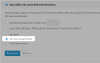
Try using this option here, and exclude all the users your don't want.
Or the opposite, and only select the ones you want.
Any "unwanted" users that were already created can be deleted manually
1598881306978.png
 

Forum statistics

Threads
111,991
Messages
590,167
Members
164,929
Latest member
Cloudstar