- Joined
- Aug 12, 2017
- Messages
- 287
- Reaction score
- 3
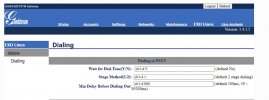
I have a Grandstream GXW-4108.. Now I initially attempted to do the Auto provisioning, and following the instructions in the Blog and for whatever reason it didn't auto provision. So, I was able to get it set-up manually by the SIP user ID and Account ID, and the SIP Server, and then everything provisioned and then it worked. Most recently I had to get into the Web gui Firmware as I had to change the IP address of the gateway due to a change in our network. For whatever reason unknown I couldn't get into the firmware and had to factory reset the gateway. I reentered everything and all provisioned. But not the issue is receiving calls made to any of the DID through the gateway or making calls through the gateway. So, when someone dials in, after it rings, then there is a dial tone and doesn't send the call to the PBX. Same on making calls, when dialing a phone number, rings once and then a dial tone. Seems like something is wrong with a setting in the gateway. As what's interesting is on the call in when there is a dial tone, and an extension or ring group is dialed it will then ring. Same thing on making calls, when dialing out and then 1 ring and the dial tone if dial the number again it will then call the other party. So, it seems a setting in the FXO.
Now I have a second spare GXW-4108 that was going to be soon connected. So, I went into that Firmware Web Gui, and matched all the settings exactly, as factory resetting did make a lot of changes. But there still was no change. So, I then connected the spare FXO, and now everything works. I factory reset the first FXO and tried it again, and matched the settings exactly from the spare FXO that is now working, and still the same issue.
Looking to see if anyone else out there has a similar issue and looking for suggestions here. I wouldn't have had to factory reset the gateway, but there was a network change and had to change the IP address, and for whatever reason it wouldn't take the log in credentials and felt it was best to factory reset everything. I would think since all the settings are exactly and identically the same it would work, but I'm at a loss here. I'm sure its must be something simple and just can't figure it out.
Now I have a second spare GXW-4108 that was going to be soon connected. So, I went into that Firmware Web Gui, and matched all the settings exactly, as factory resetting did make a lot of changes. But there still was no change. So, I then connected the spare FXO, and now everything works. I factory reset the first FXO and tried it again, and matched the settings exactly from the spare FXO that is now working, and still the same issue.
Looking to see if anyone else out there has a similar issue and looking for suggestions here. I wouldn't have had to factory reset the gateway, but there was a network change and had to change the IP address, and for whatever reason it wouldn't take the log in credentials and felt it was best to factory reset everything. I would think since all the settings are exactly and identically the same it would work, but I'm at a loss here. I'm sure its must be something simple and just can't figure it out.